
The problem
Enquiries arrive by phone, walk-in and message, and some are never followed up.
Every enquiry is opened as a case with a category, priority and assigned caseworker, so each one has an owner and a next step.
Public Sector & Community
Every Enquiry Followed Through. Every Case Accounted For.
E-Rakyat helps a service office respond faster and more fairly: residents report issues with a photo from the app or WhatsApp, AI sorts and groups the cases, caseworkers refer them to the right agency and keep residents updated, and aid is given out by published rules with QR collection.
Screens shown with sample data
What it does
E-Rakyat is designed to bring the office's casework into one place. An enquiry is checked against existing constituent records, given a category and priority, and assigned to a caseworker. Updates are recorded against the case until it is reviewed and closed, with follow-up where needed. Events, surveys, community projects and documents sit alongside the casework, and each team member sees the records their role allows.
Who it’s for
User roles
Product status: available and in use. E-Rakyat is a Zensoft product in use by customers, set up for each customer's roles and workflow. The screens on this page are shown with sample people and figures, not any customer's records.
Problems it addresses
The problem
Every enquiry is opened as a case with a category, priority and assigned caseworker, so each one has an owner and a next step.
The problem
An identity and duplicate check against the constituent directory comes before a new case is opened.
The problem
The case overview shows open cases, cases awaiting a caseworker and cases by service area, with reports by period.
Built for community service
Community service happens at the counter, in the neighbourhood and at community events. E-Rakyat helps the office listen, act and keep every resident informed.

Reporting a blocked drain

At the service counter

Aid collection with QR
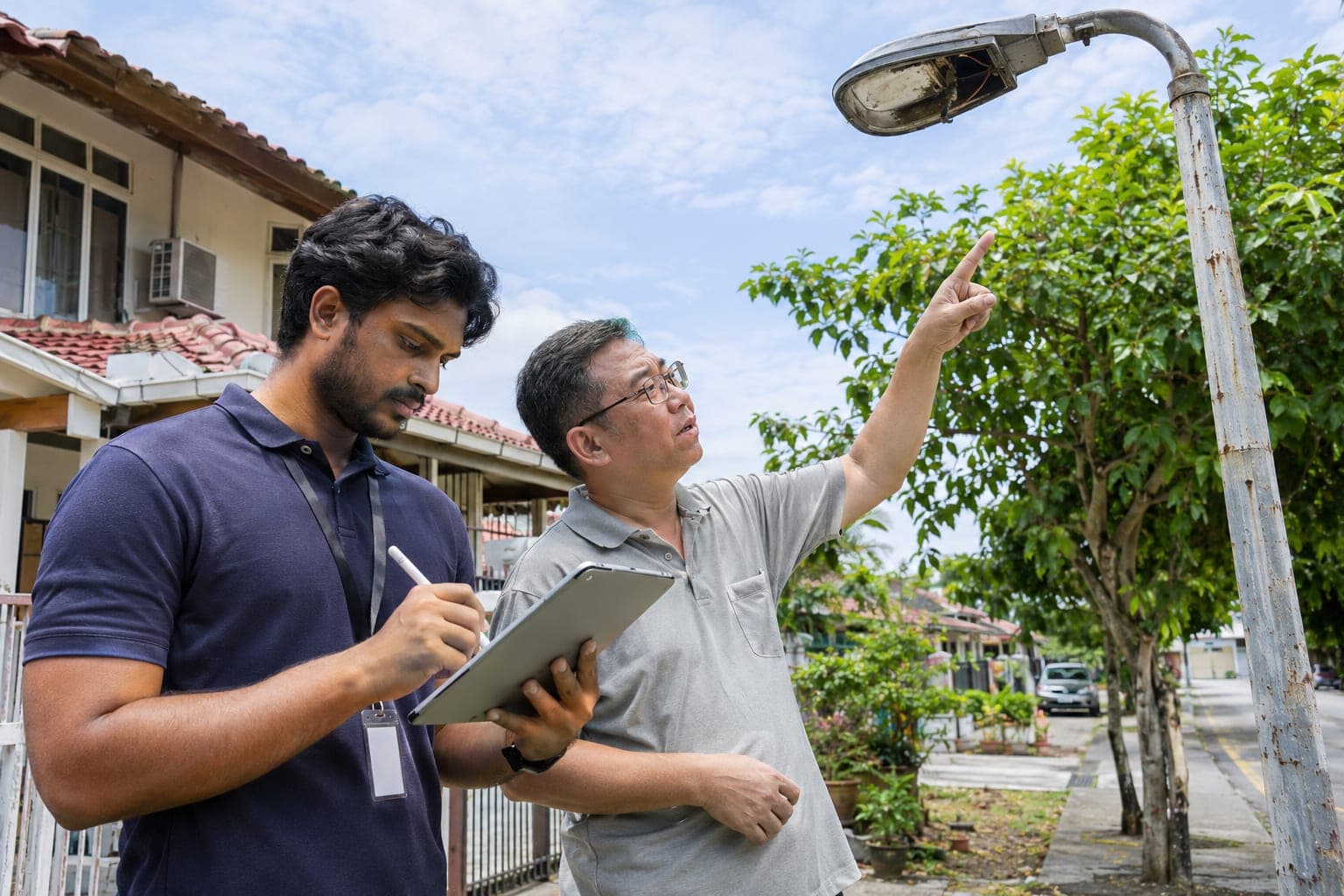
Site visit

Community health day
Illustrative photos.
Key features
8 key capabilities of E-Rakyat, shown in the product screens below.
Open and resolved cases, time to resolve, aid delivered and resident satisfaction, with an issue map and AI alerts.
Residents report issues with a photo and location, follow their case and join events and surveys.
Cases categorised and prioritised from the message and photo, and duplicate reports grouped together.
Open issues by locality, so repeated problems in one area stand out.
Cases referred with photos and tracked until the agency replies, with response times measured.
Automatic acknowledgement and updates in English or Bahasa Melayu, and a rating before the case closes.
Applications pre-checked against published rules, committee decisions and QR collection at handover.
Community surveys, cases by month and category and agency response for regular updates.
Smart technology
E-Rakyat uses modern technology so issues reach the office faster, are grouped and routed correctly, and residents always know what is happening.
Report issues, follow cases and join events and surveys.
Residents report by WhatsApp; cases are created automatically.
Each report carries a photo and its location on the map.
Cases categorised, prioritised and duplicates grouped.
Problems shown by locality to spot repeated issues.
Residents kept informed in English or Bahasa Melayu.
Approved aid collected with a QR code, every handover recorded.
Community priorities and service results in clear reports.
Product screens
Four screens of E-Rakyat, from the dashboard to the reports, shown with sample data. Select a screen to enlarge it.
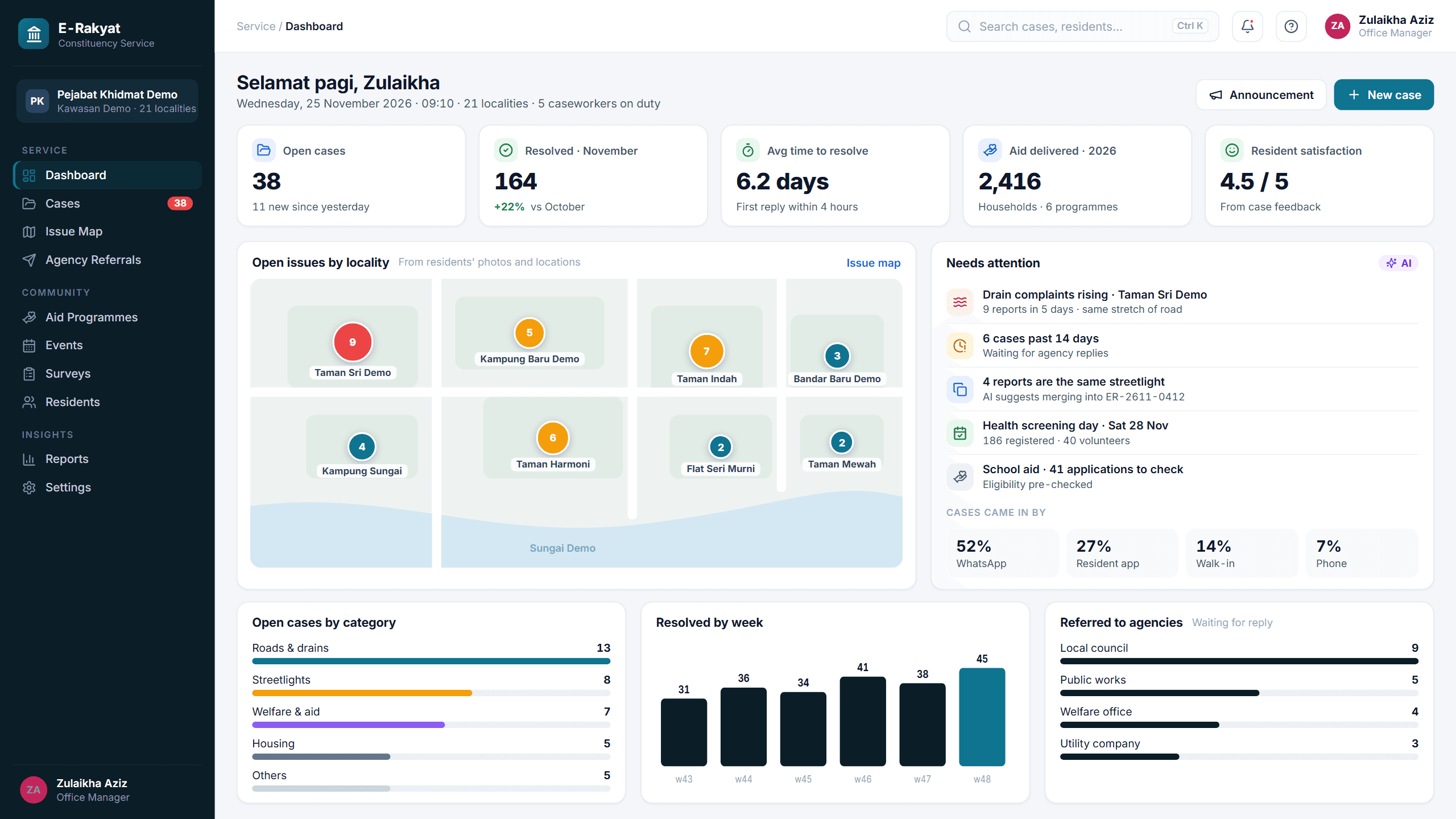
Screen 01 · Dashboard
Open and resolved cases, an issue map by locality, AI alerts, how cases came in and referrals waiting on agencies.
Sample data · people, IDs, dates and figures are examples, not real records
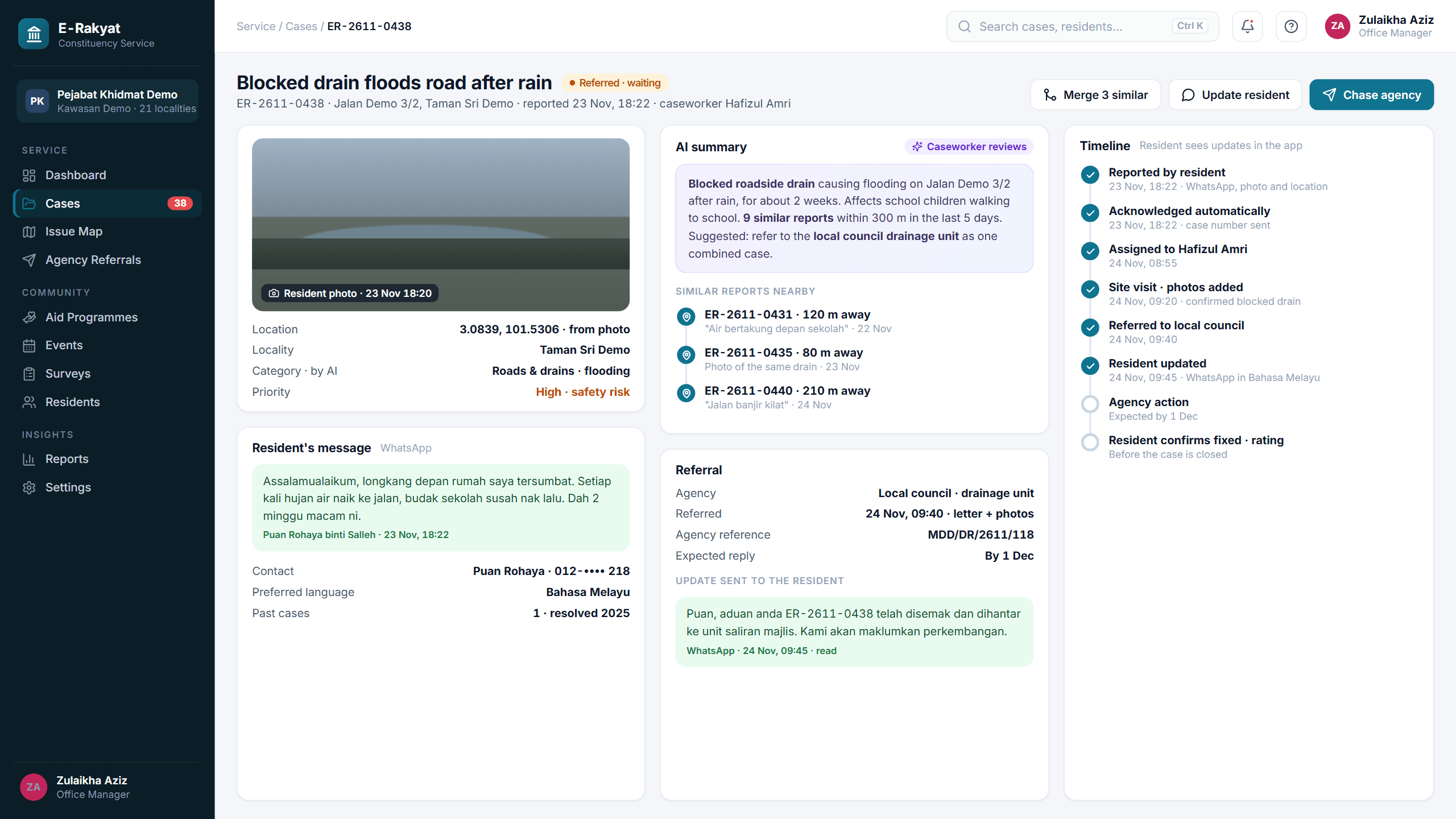
Screen 02 · Case
A resident's photo and message, an AI summary with similar reports nearby, the agency referral and the full timeline.
Sample data · people, IDs, dates and figures are examples, not real records
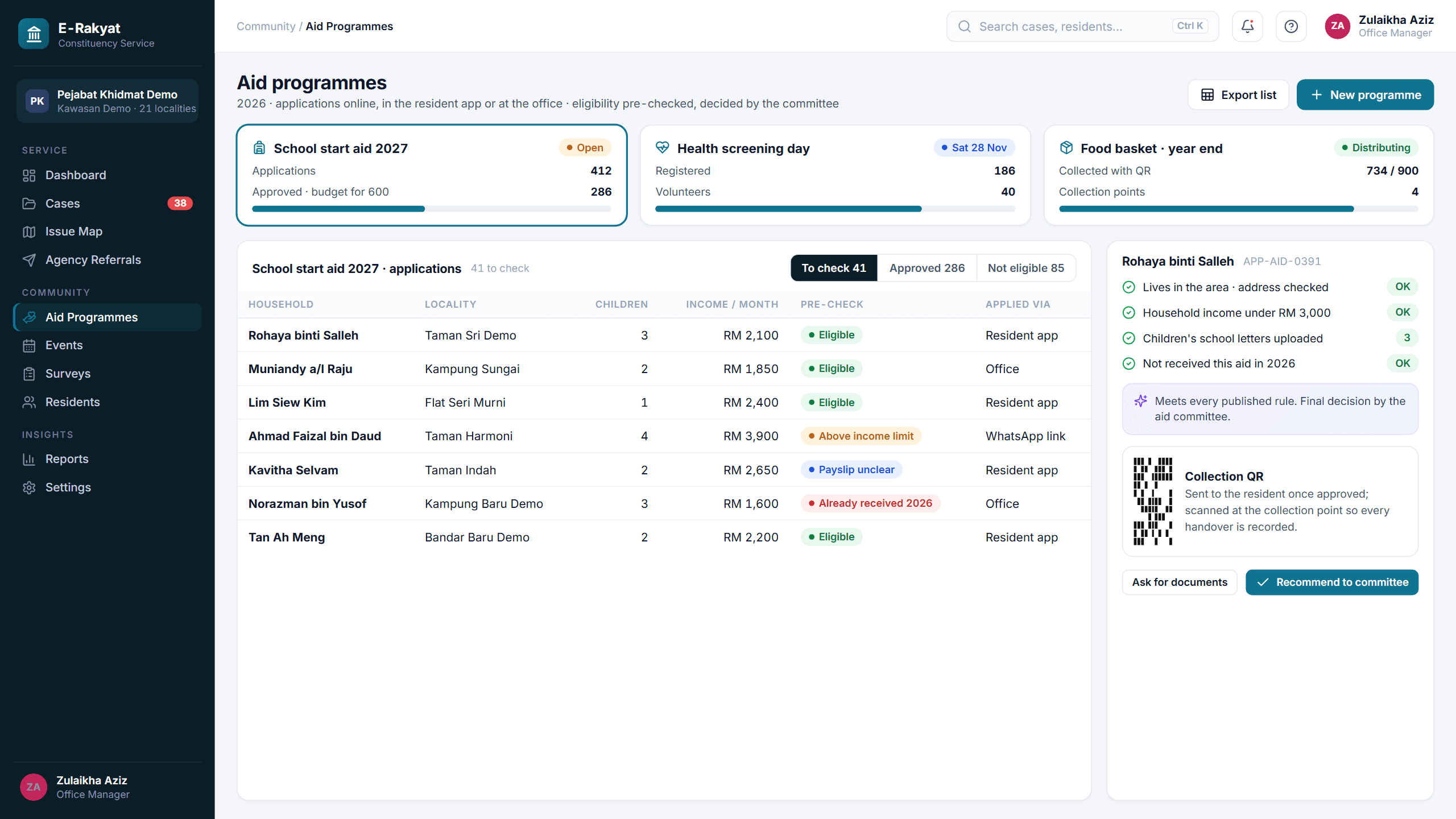
Screen 03 · Management
Programmes and their progress, applications pre-checked against published rules and QR collection for approved aid.
Sample data · people, IDs, dates and figures are examples, not real records
Screen 04 · Reports & analytics
Cases by month and category, community survey priorities, agency response times and an AI insight.
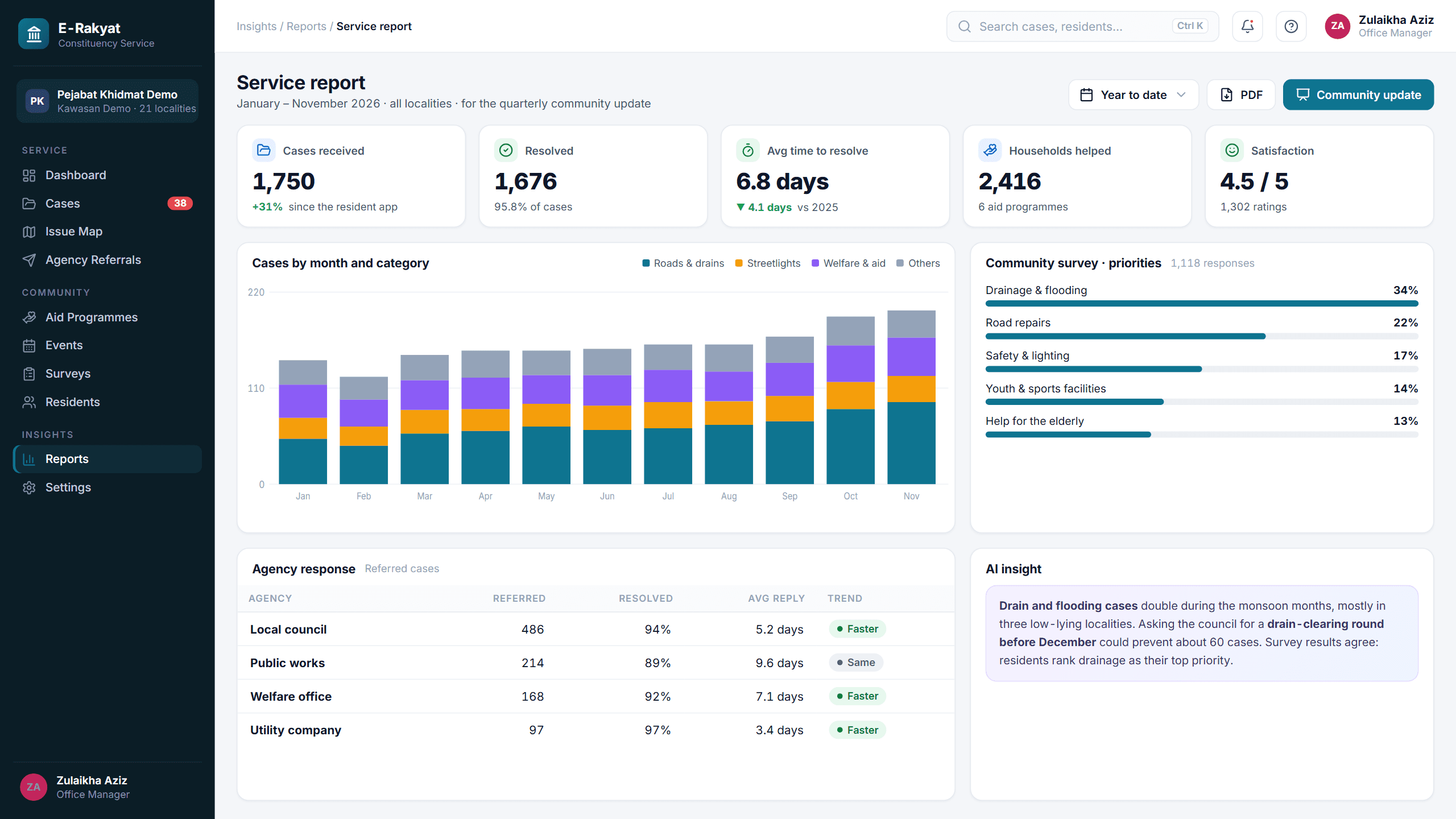
Sample data · people, IDs, dates and figures are examples, not real records
Resident app
Residents report an issue with a photo, see each step until it is fixed and join community events, aid programmes and surveys.
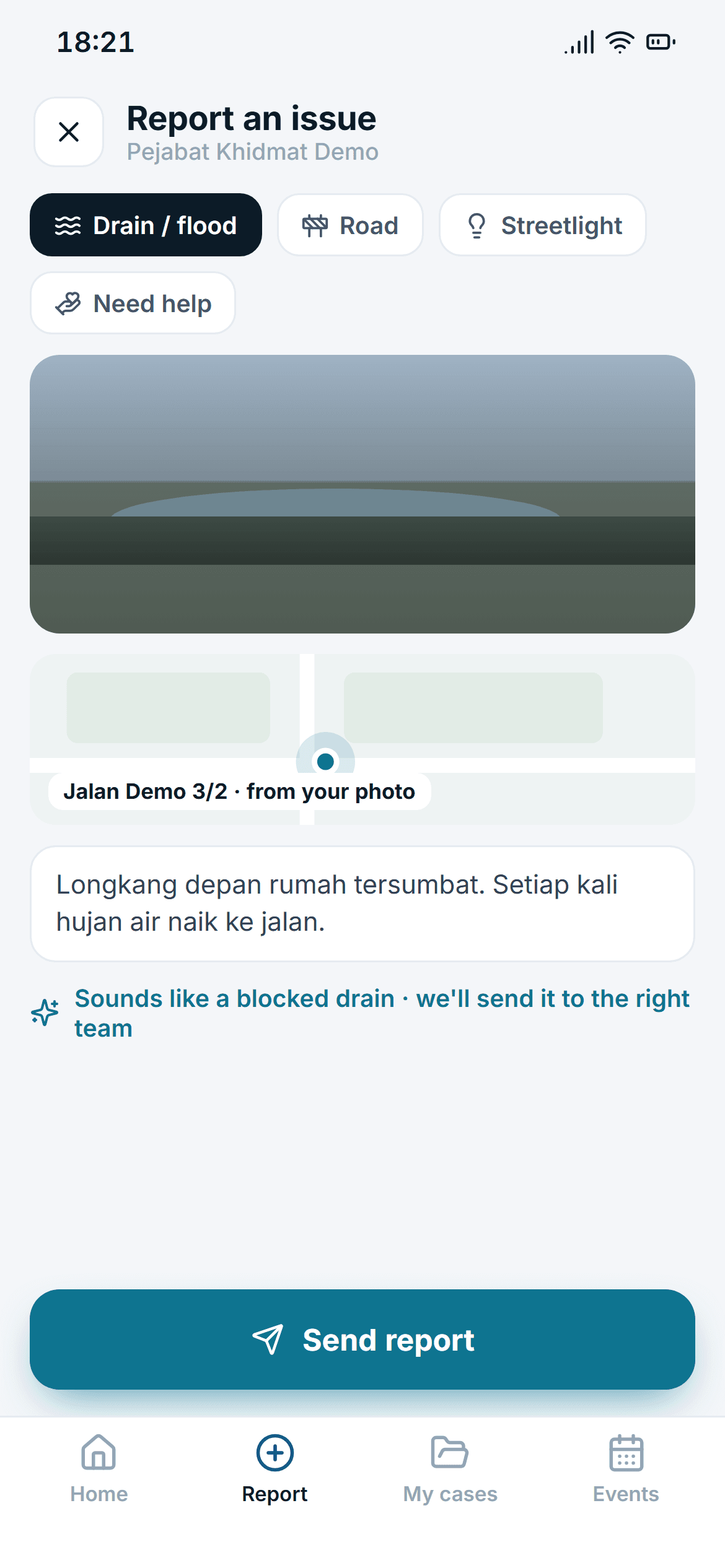
App · 01
Choose a type, add a photo and the location is filled in.
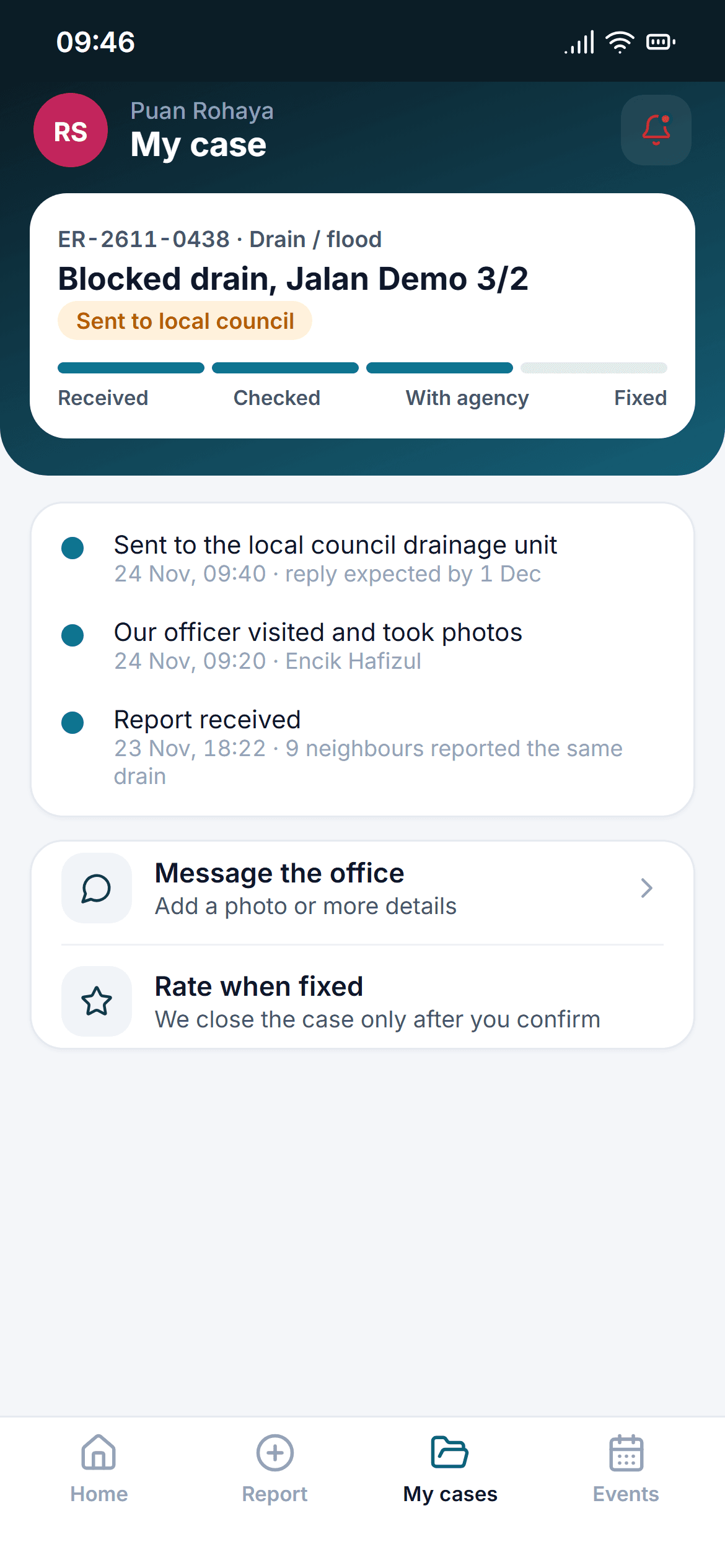
App · 02
Each step from received to fixed, and a rating at the end.
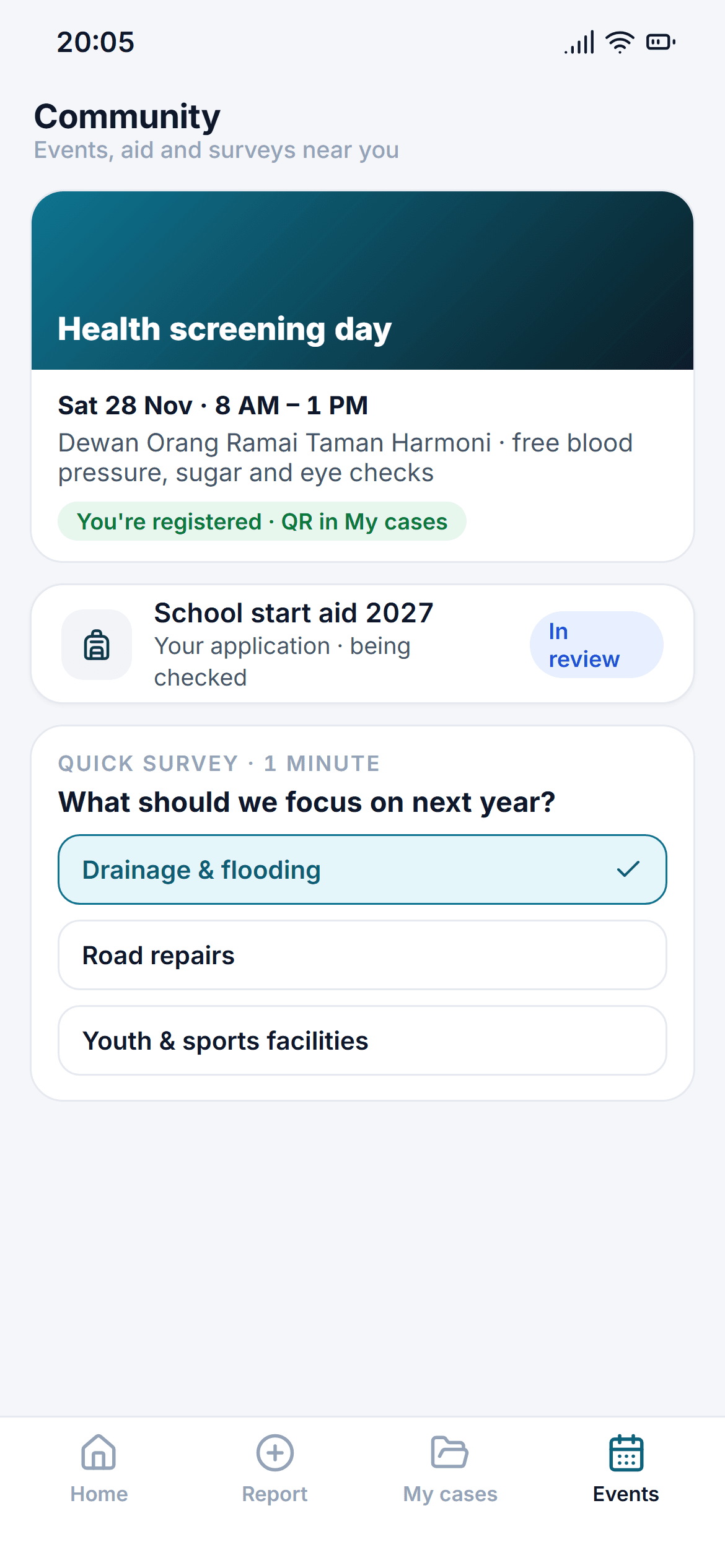
App · 03
Events, aid applications and a quick survey.
Sample data · names, sites and times are examples, not real records
Modules
The modules of E-Rakyat, sharing the same records so information is entered once.
From enquiry to closed case.
01Overview
The office's open cases, assignments and upcoming events.
02Constituent Directory
Constituent records with identity and duplicate checks.
03Issue & Case Management
Case intake, category, priority, assignment, updates and resolution review.
Events, feedback and programmes.
04Events Calendar
Community events and the office's engagement calendar.
05Surveys & Feedback
Surveys and the feedback they collect.
06Project Tracking
Community programmes and projects, with their status.
Documents, reporting and control.
07Document Library
Documents kept with the cases and projects they belong to.
08Reports
Case, enquiry and engagement reports by period.
09Roles & Audit
Role-based access and an audit history of changes.
Workflow
How an enquiry is designed to move through the office.
At each step the record is designed to show its status, owner, next action and due date, and authorised users can return incomplete work with a reason.
Benefits
What E-Rakyat is designed to change for the people who use it every day.
Getting started
Step by step, starting from your own workflow.
Confirm scope and roles
We agree which modules, roles and rules your organisation needs.
Configure the workflow and records
Your workflow and the records it keeps are set up and approved with you.
Try it with sample data
Your team tries the system with sample data first, never your real records.
Review permissions and exceptions
Access rights, returned work and corrections are checked.
Go live with one workflow first
One end-to-end workflow goes live before the next is added.
Verify with your team
The people who use it confirm it works for them, and then more is added.
Questions
Yes. E-Rakyat is available and in use by customers. Each new customer's setup starts from the modules and roles described on this page. Request a demo to see it.
No. The E-Rakyat screens on this page are shown with sample people, records and figures. They are not screenshots of any customer's system and contain no real customer data.
Yes. The roles, workflow steps and the details of each module are agreed with you during setup.
No connections to other systems are assumed. If you need E-Rakyat to work with another system, it is discussed and agreed during scoping.
Request a demo
See E-Rakyat in a demo with our team and tell us how your office handles enquiries, casework and community programmes.