
The problem
Container jobs are tracked across calls, chats and spreadsheets.
Each booking becomes one job record with its container, terminal, pickup and delivery points and appointment slot.
Logistics & Transportation
Every Container Job, From Booking to Billing.
PortX runs container haulage from booking to billing: a live fleet map, AI-suggested dispatch, milestones recorded automatically by geofence, a driver app that scans container numbers and captures e-POD, and charges calculated from real waiting times.
Screens shown with sample data
What it does
PortX is designed around the container job. A booking becomes a job with its container, port or terminal, pickup and delivery points and appointment slot. Dispatch matches a prime mover, trailer and driver, movement milestones are recorded as the job progresses, proof and exceptions are attached, and charges are verified before the job is handed over for billing.
Who it’s for
User roles
Product status: available and in use. PortX is a Zensoft product in use by customers, set up for each customer's roles and workflow. The screens on this page are shown with sample people and figures, not any customer's records.
Problems it addresses
The problem
Each booking becomes one job record with its container, terminal, pickup and delivery points and appointment slot.
The problem
A dispatch board shows every job by movement stage, with exceptions visible as they are recorded.
The problem
Geofence times record exactly how long each truck waited, and the e-POD holds photos, the seal number and the consignee's signature.
Built for the yard and the road
Haulage happens at terminals, depots, warehouses and on the highway. PortX connects drivers, dispatchers and customers on the same live job.

Driver checking the next job

Container terminal at sunrise
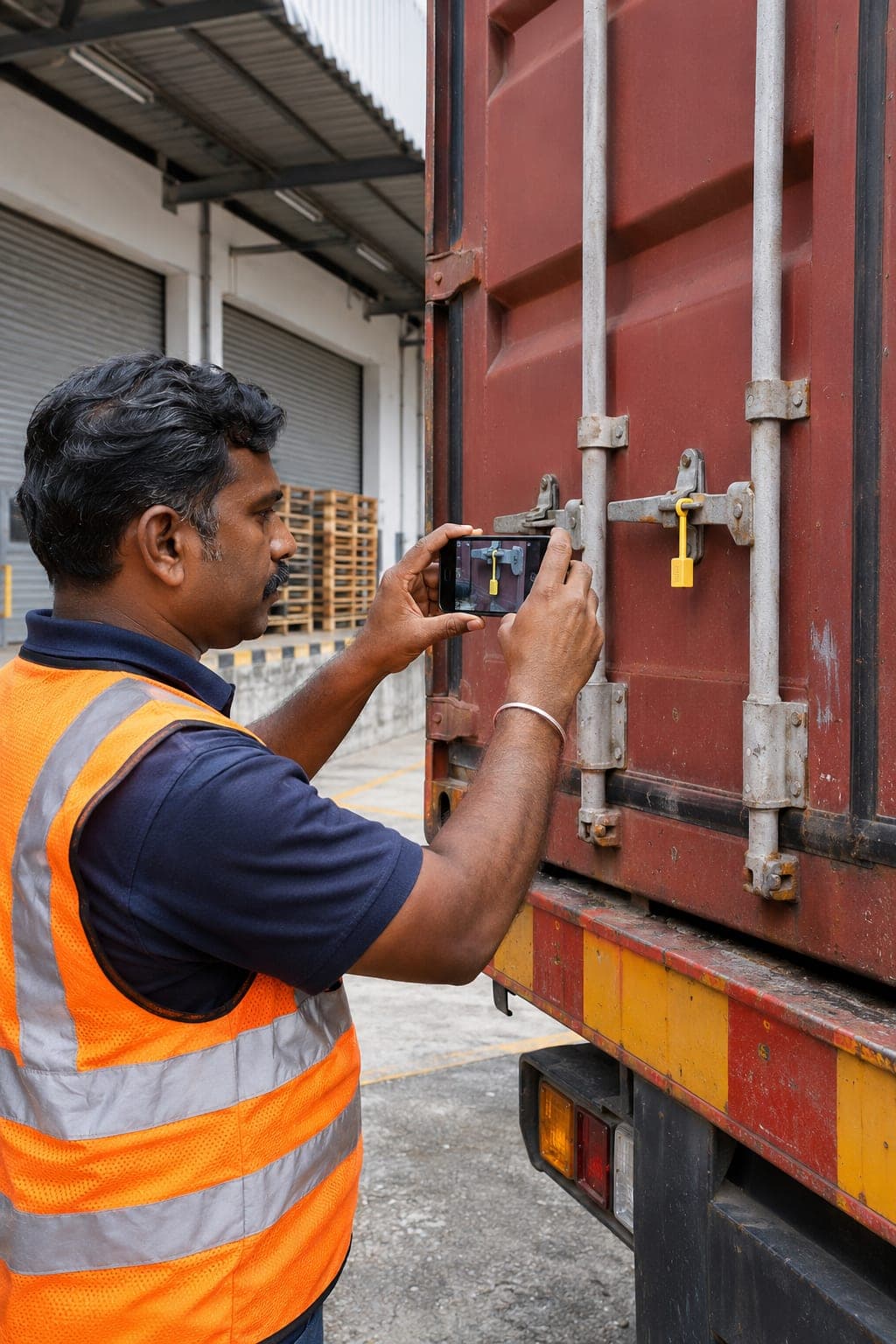
Proof of delivery photo
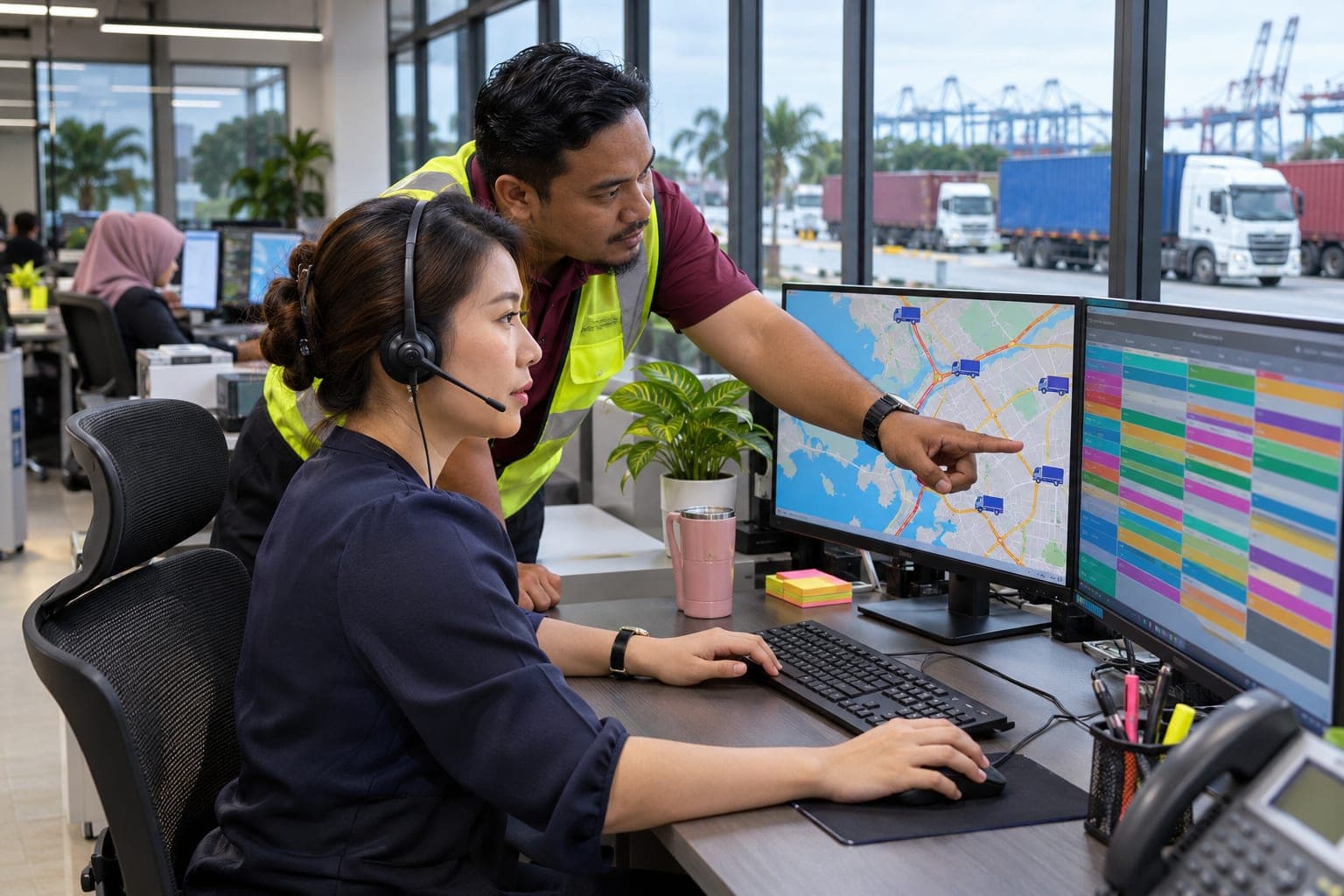
Dispatch office

On the highway
Illustrative photos.
Key features
8 key capabilities of PortX, shown in the product screens below.
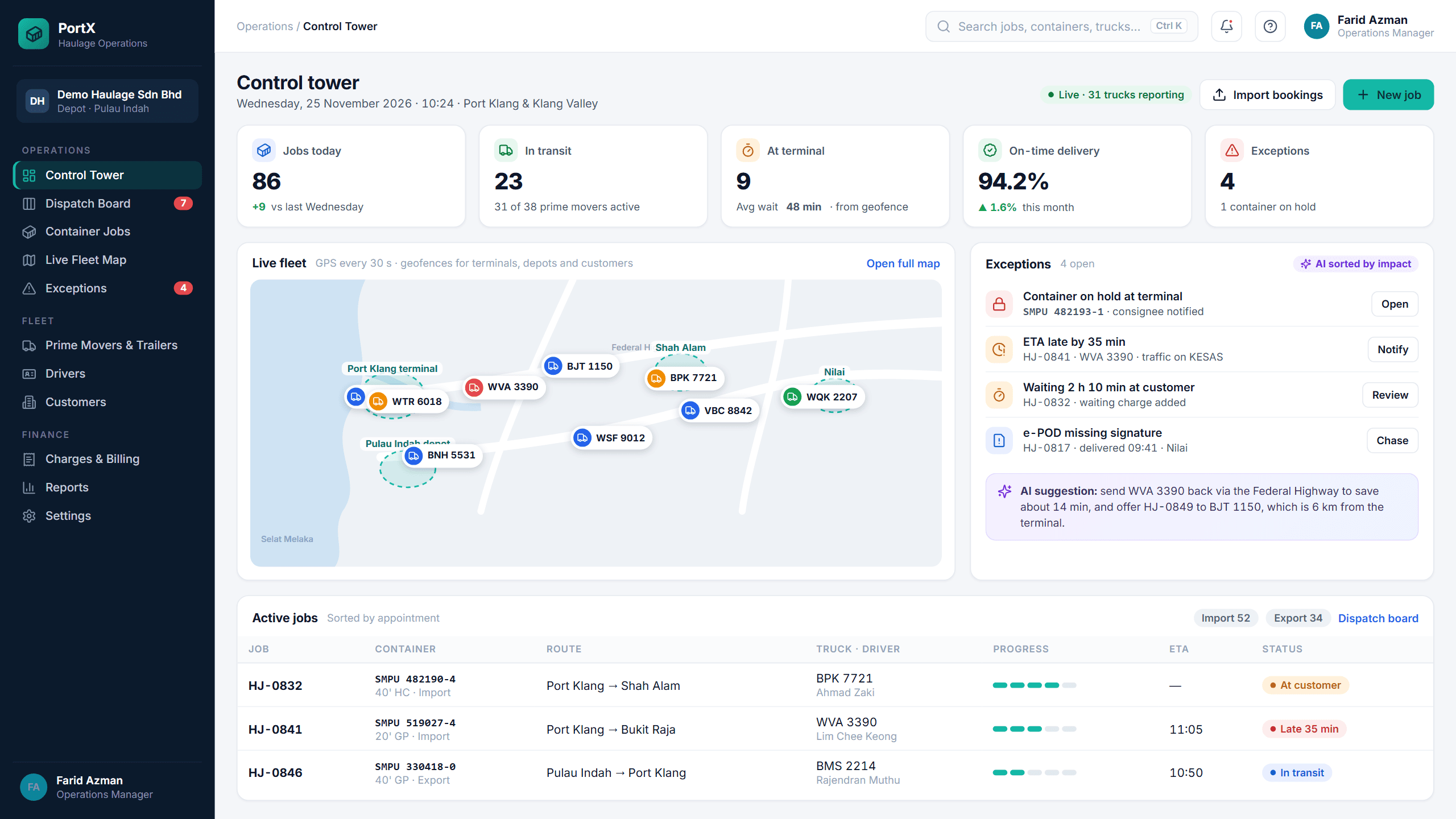
Jobs today, trucks in transit, terminal waiting time, on-time delivery and exceptions, with a live fleet map.
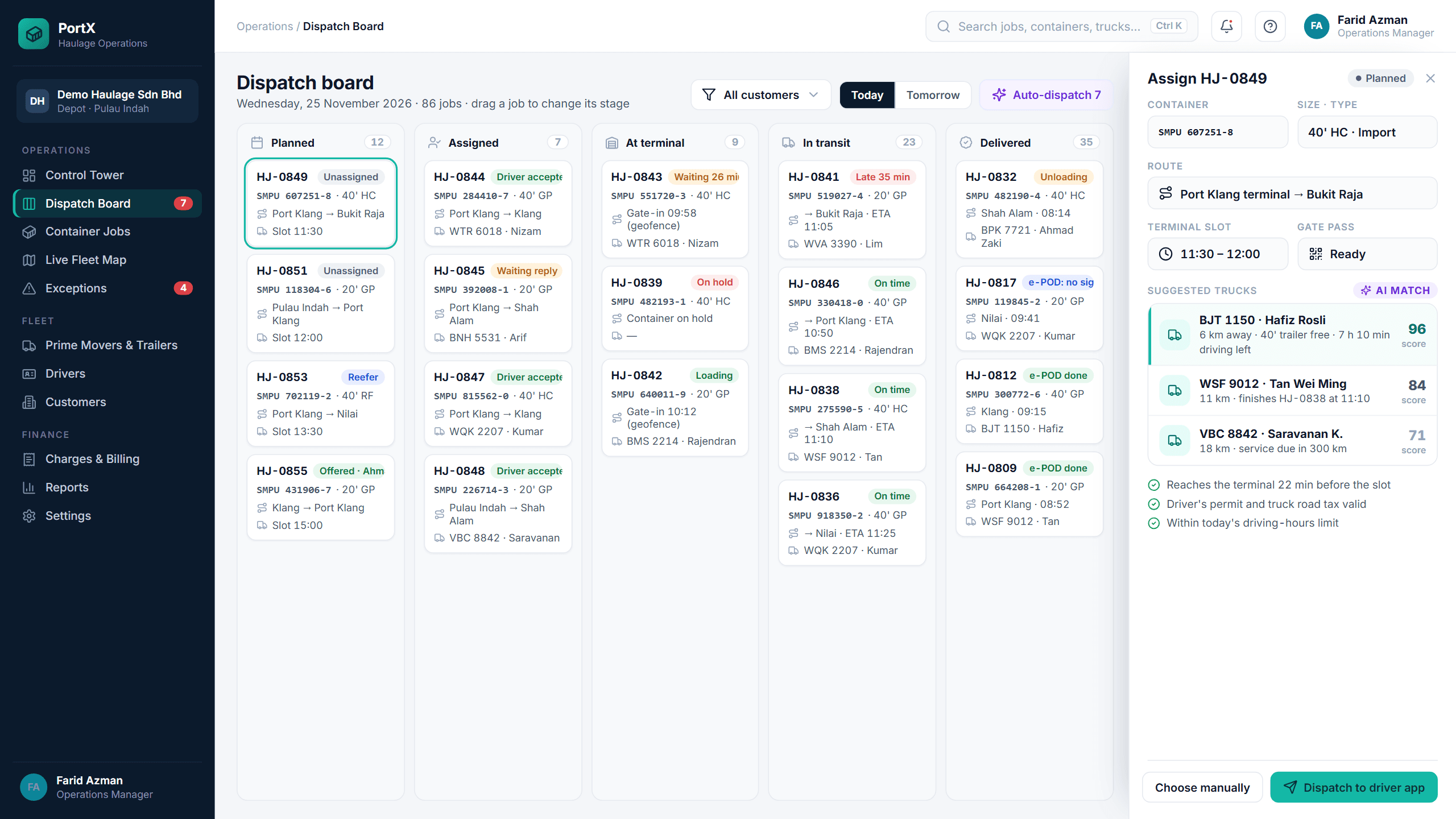
Every job by stage, from planned and assigned to at terminal, in transit and delivered.
Suggests the best truck and driver for each job from distance, trailer, driving hours and slot time.
Gate-in, gate-out, arrival and waiting time recorded automatically as trucks cross geofences.
Jobs, navigation, container scanning, e-POD and the day's driving hours on the driver's phone.
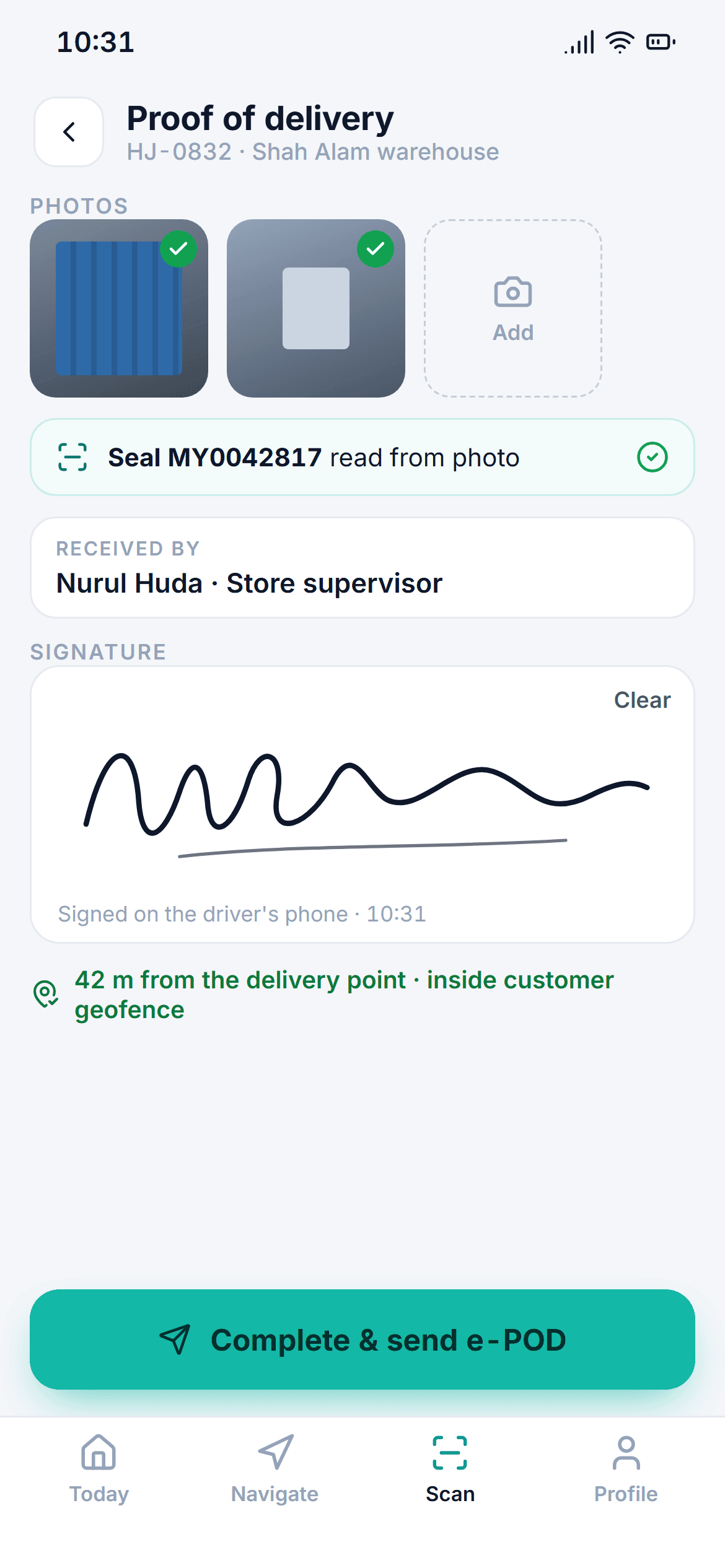
Photos, the seal number read from the photo, the consignee's signature and the delivery position.
Haulage, lift-on/lift-off and waiting charges calculated from the rate card and geofence times.
Trips, on-time delivery, terminal waiting, fleet utilisation, fuel and revenue by customer.
Smart technology
PortX records what happens on the road as it happens, so dispatchers, drivers, customers and billing work from the same facts.
Every prime mover on one live map, updated every 30 seconds.
Gate-in, gate-out, arrival and waiting time recorded automatically.
The best truck for each job, and re-route suggestions when traffic builds up.
The driver's camera reads container and seal numbers and checks them against the job.
Photos, seal number, position and the consignee's signature, sent as a PDF.
Customers get arrival updates and a live tracking link automatically.
Waiting and extra charges calculated from geofence times and the rate card.
The driver app keeps working in poor coverage and syncs when back online.
Product screens
Four screens of PortX, from the dashboard to the reports, shown with sample data. Select a screen to enlarge it.
Screen 01 · Dashboard
Today's jobs, trucks in transit, terminal waiting and on-time delivery, with the live fleet map and exceptions sorted by AI.
Sample data · people, IDs, dates and figures are examples, not real records
Screen 02 · Dispatch
Every job by stage, with an open job being matched to the best truck by AI before it goes to the driver app.
Sample data · people, IDs, dates and figures are examples, not real records
Screen 03 · Container job
One job's milestones recorded by geofence, its electronic proof of delivery, documents, charges and the WhatsApp updates sent to the customer.
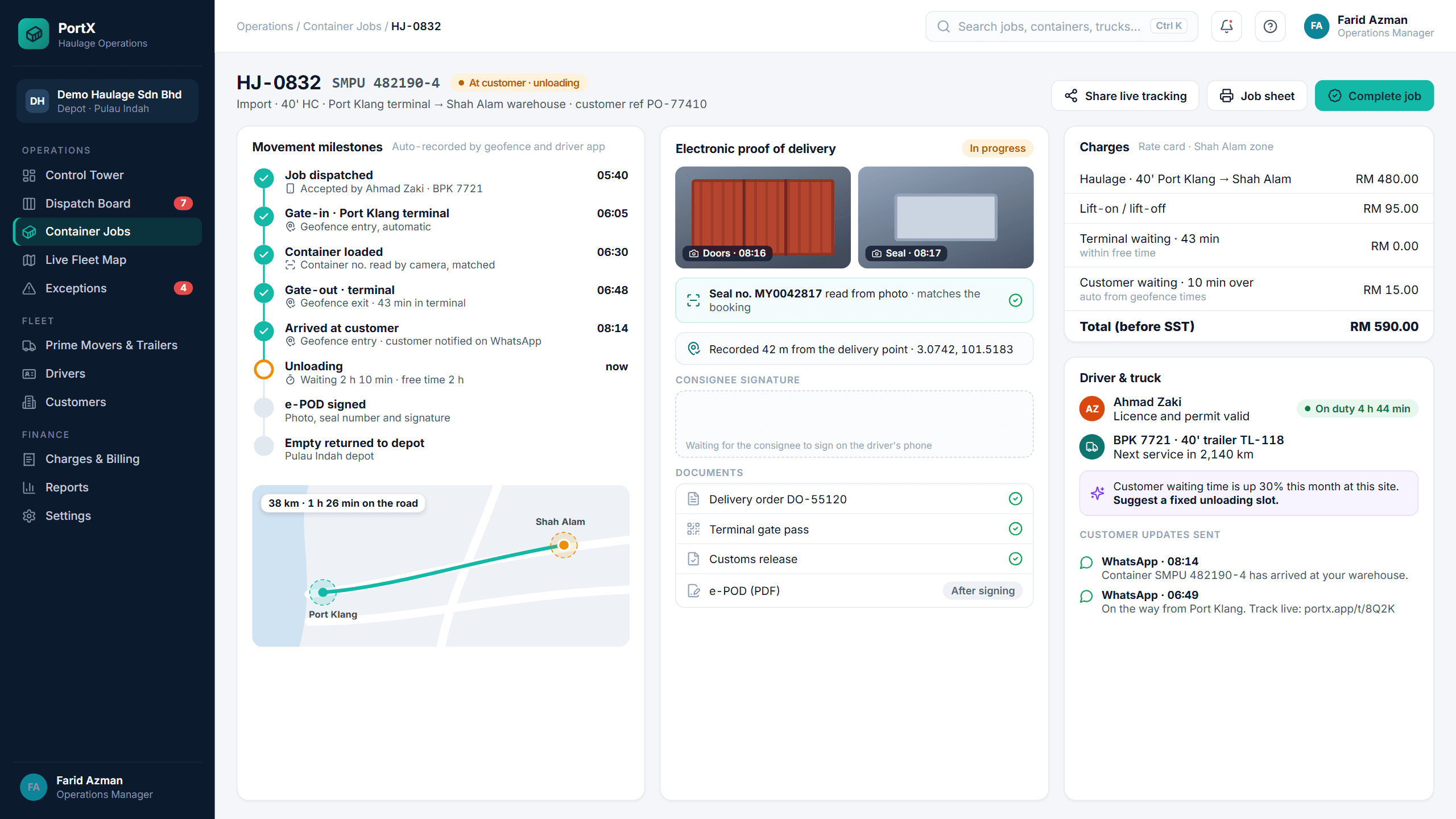
Sample data · people, IDs, dates and figures are examples, not real records
Screen 04 · Reports & analytics
Trips, on-time delivery, terminal waiting, fleet utilisation and revenue for the month.
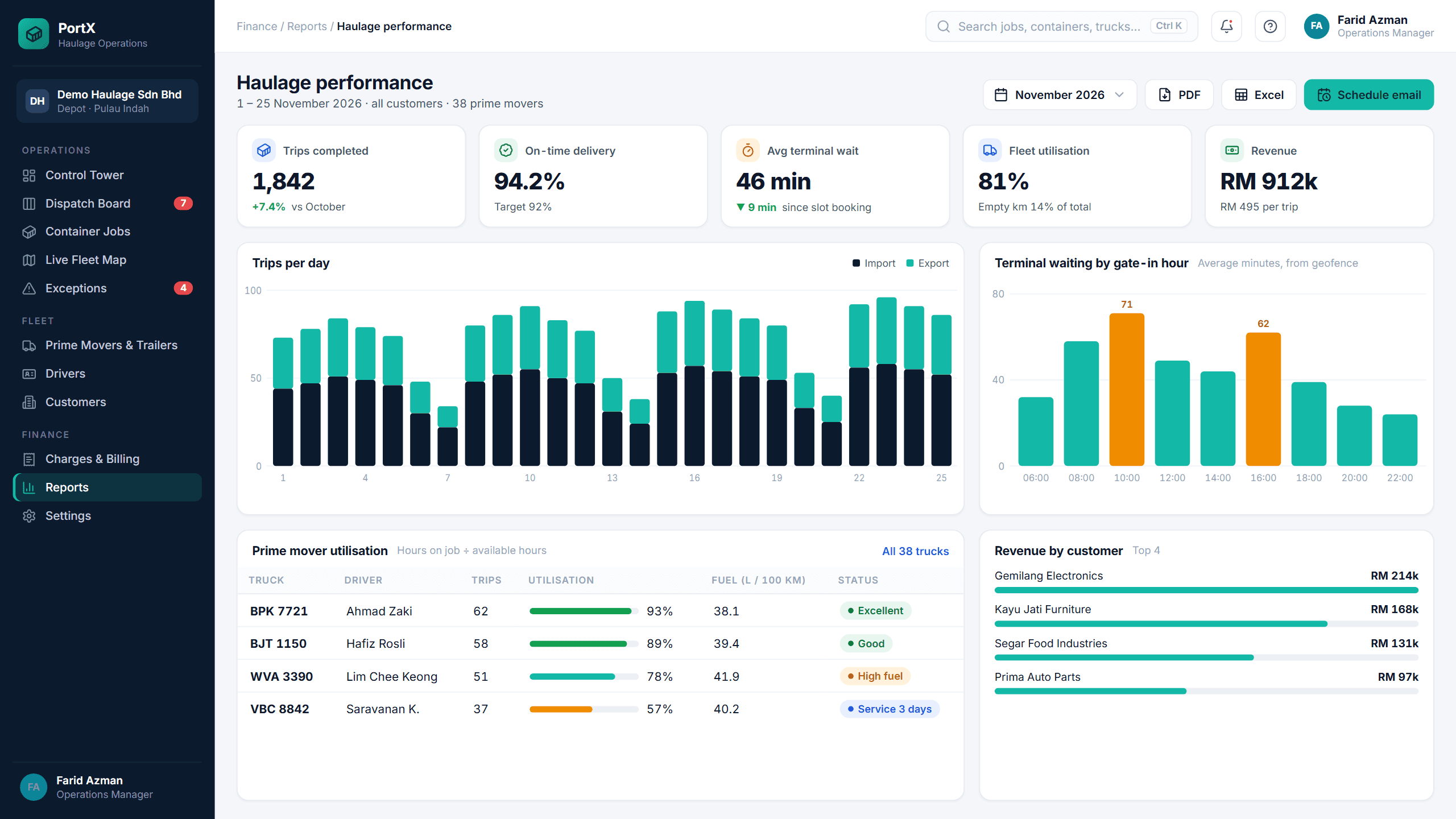
Sample data · people, IDs, dates and figures are examples, not real records
Driver app
Drivers see today's jobs, scan the container number with the camera, and complete the electronic proof of delivery with photos and the consignee's signature.
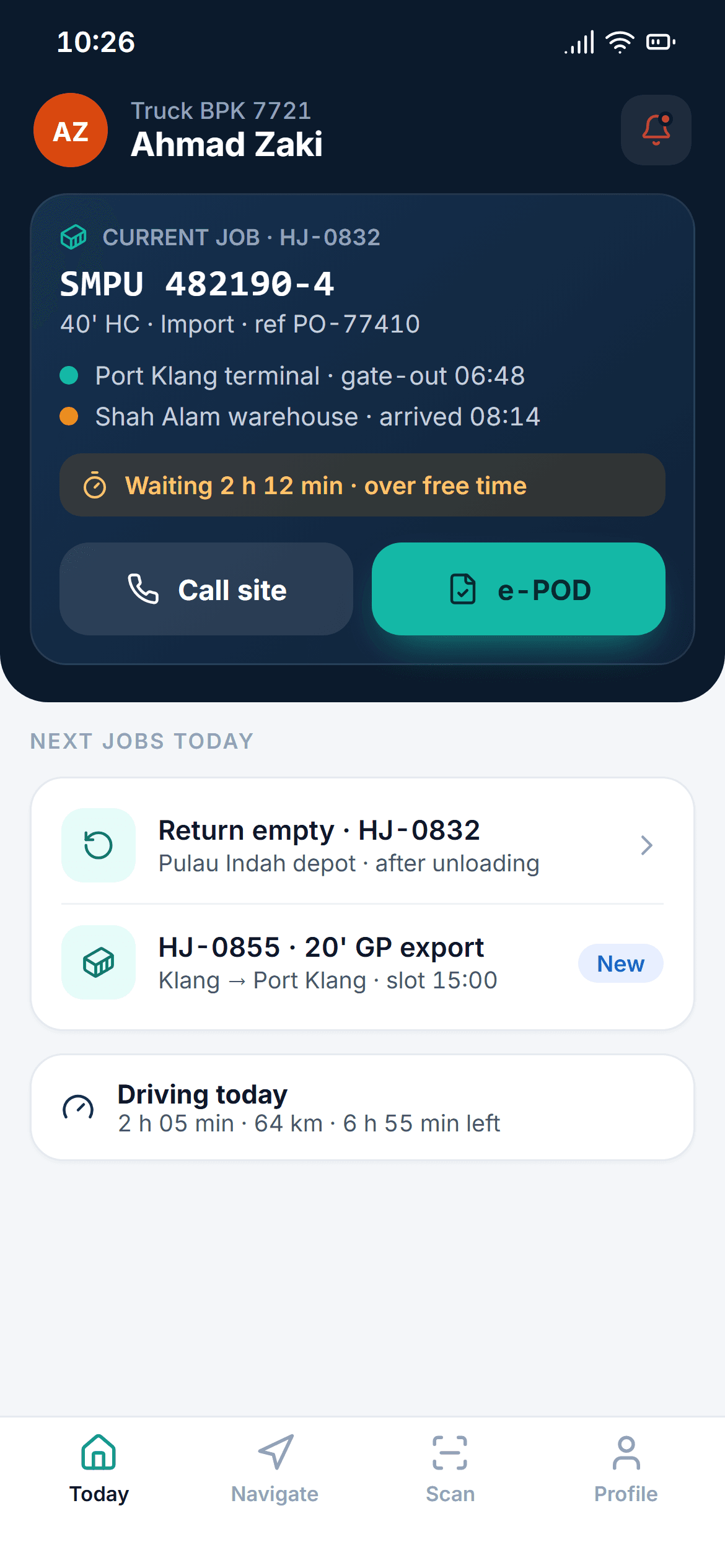
App · 01
The current job, waiting time, next jobs and driving hours left.
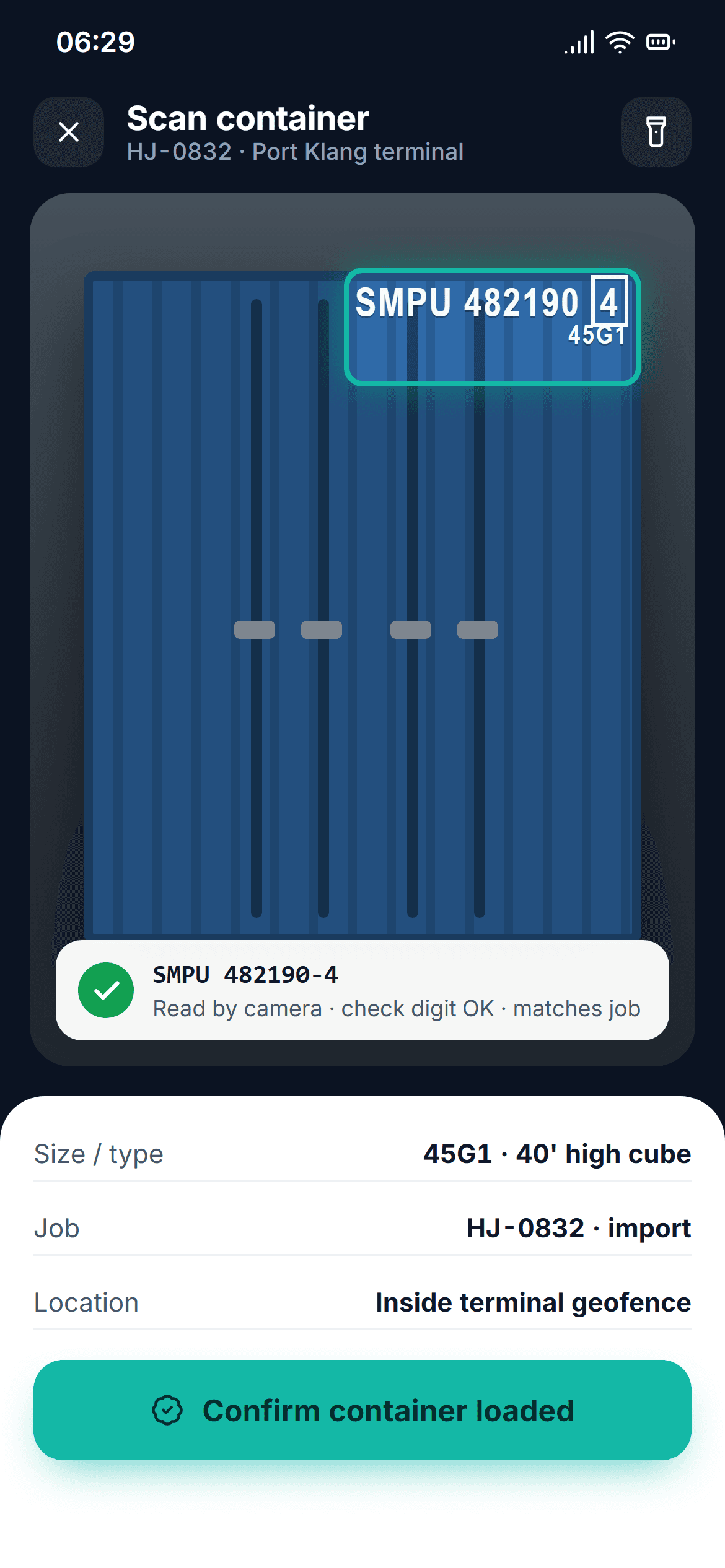
App · 02
The camera reads the container number and checks it against the job.
App · 03
Photos, seal number, receiver and signature, sent straight to the office.
Sample data · names, sites and times are examples, not real records
Modules
The modules of PortX, sharing the same records so information is entered once.
Where every movement starts.
01Operations Dashboard
Today's jobs, dispatch status and exceptions.
02Bookings & Customers
Customer bookings and their references.
03Container Jobs
Container, movement type, locations and appointment slot.
Matching equipment and drivers to jobs.
04Prime Movers & Trailers
Equipment records used for each job.
05AI Dispatch
Best truck and driver suggested for each job.
06Live Fleet Map
GPS positions and geofences for terminals, depots and customers.
07Dispatch Board
Jobs by movement stage, from planned to completed.
08Fleet Availability
Which prime movers and trailers are available.
Recording the job and closing it out.
09Geofence Milestones
Milestones and waiting time recorded automatically.
10Driver App & e-POD
Container scanning, photos, seal OCR and e-signature.
11Charge Review
Charges verified before billing handoff.
12Reports
Job volume and status reports by period.
Workflow
How a job is designed to move through PortX.
At each step the record is designed to show its status, owner, next action and due date, and authorised users can return incomplete work with a reason.
Benefits
What PortX is designed to change for the people who use it every day.
Getting started
Step by step, starting from your own workflow.
Confirm scope and roles
We agree which modules, roles and rules your organisation needs.
Configure the workflow and records
Your workflow and the records it keeps are set up and approved with you.
Try it with sample data
Your team tries the system with sample data first, never your real records.
Review permissions and exceptions
Access rights, returned work and corrections are checked.
Go live with one workflow first
One end-to-end workflow goes live before the next is added.
Verify with your team
The people who use it confirm it works for them, and then more is added.
Questions
Yes. PortX is available and in use by customers. Each new customer's setup starts from the modules and roles described on this page. Request a demo to see it.
No. The PortX screens on this page are shown with sample people, records and figures. They are not screenshots of any customer's system and contain no real customer data.
Yes. The roles, workflow steps and the details of each module are agreed with you during setup.
No connections to other systems are assumed. If you need PortX to work with another system, it is discussed and agreed during scoping.
Request a demo
See PortX in a demo with our team and tell us how your operation handles bookings, dispatch, milestones and charges.