The problem
Event details live in emails, spreadsheets and chat threads.
One event record holds the venue, dates, sessions, capacity and agenda.
Specialist Operations
Every Event Planned, Staffed and Checked In.
EventFlow runs the whole event: online tickets and payment, QR e-tickets, check-in in seconds with badges printed on the spot, live room occupancy, an attendee app with polls and Q&A, and AI-summarised feedback afterwards.
Screens shown with sample data
What it does
EventFlow is designed around the event record. The event is created with its venue, dates, sessions and capacity, registration opens, and the attendee list is managed as people register. Tasks and resources are coordinated against a run of show, attendees are checked in on the day, and attendance, feedback, costs and outcomes are reviewed afterwards.
Who it’s for
User roles
Product status: available and in use. EventFlow is a Zensoft product in use by customers, set up for each customer's roles and workflow. The screens on this page are shown with sample people and figures, not any customer's records.
Problems it addresses
The problem
One event record holds the venue, dates, sessions, capacity and agenda.
The problem
QR check-in takes about 6 seconds with the badge printed on the spot, and door scans show live occupancy for every room.
The problem
Check-in, attendance, feedback and the budget register are kept with the event for review.
Built for the event floor
Events happen at kiosks, doors, booths and backstage desks. EventFlow keeps attendees, staff and organisers working from the same live picture.
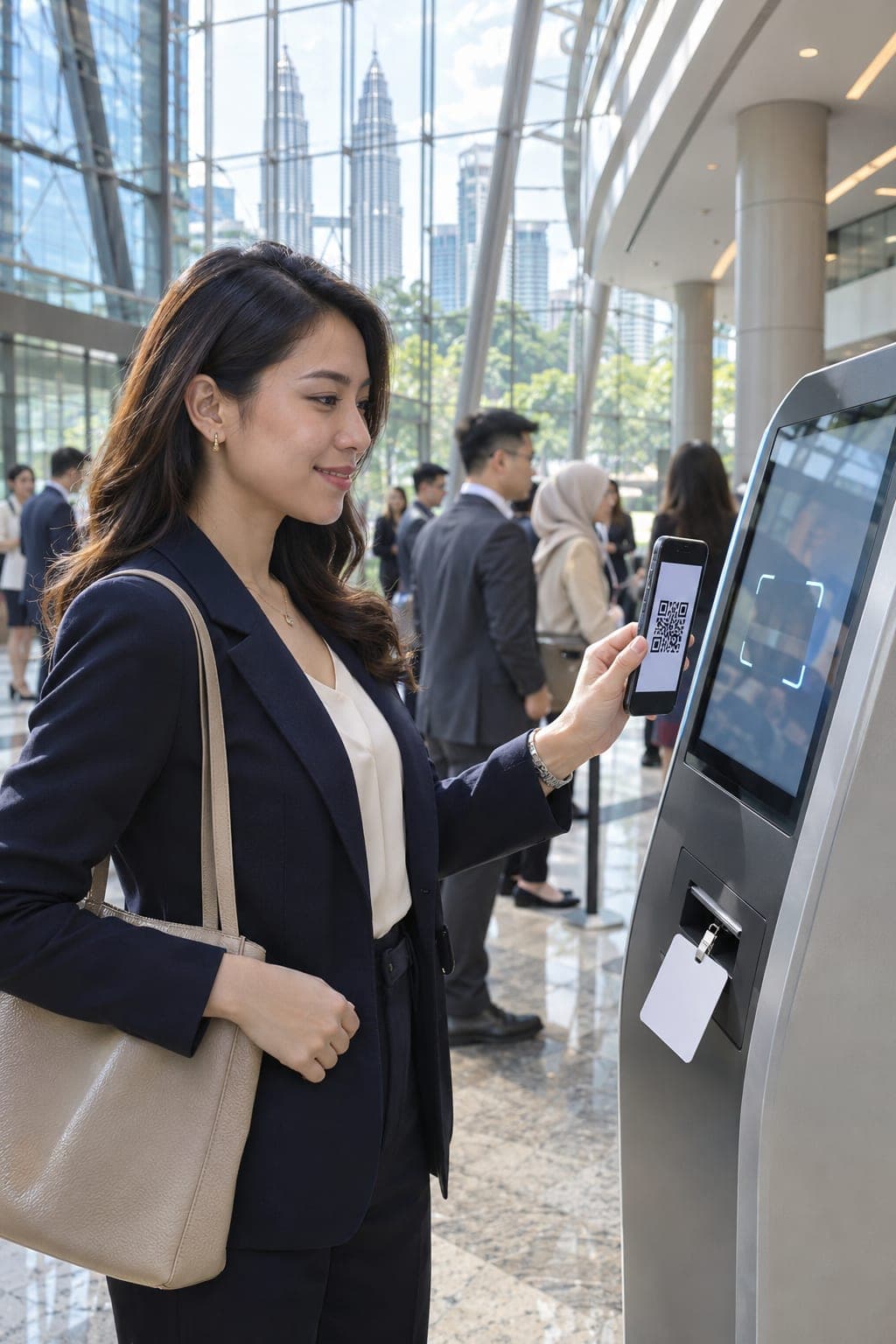
Self check-in kiosk
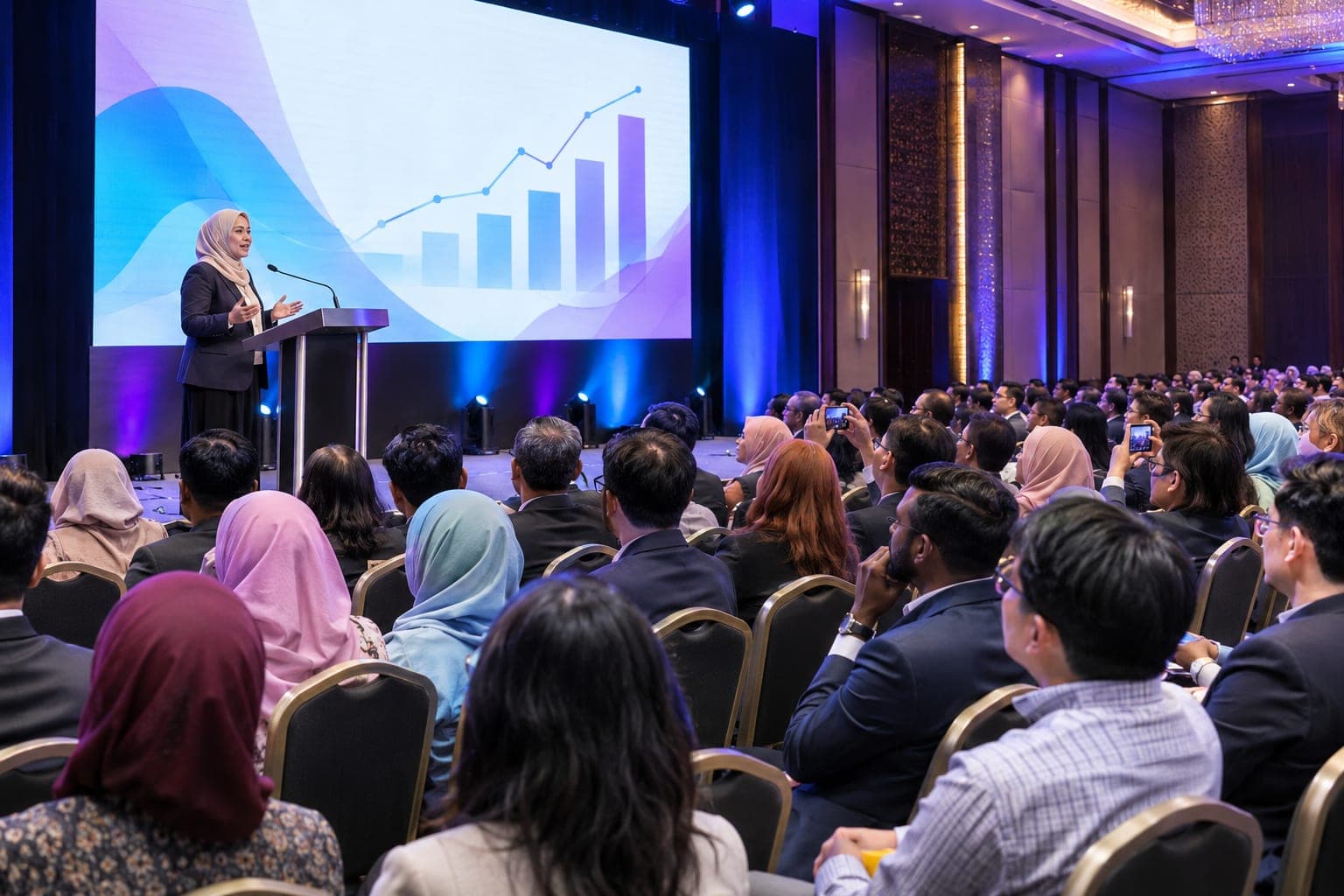
Keynote session
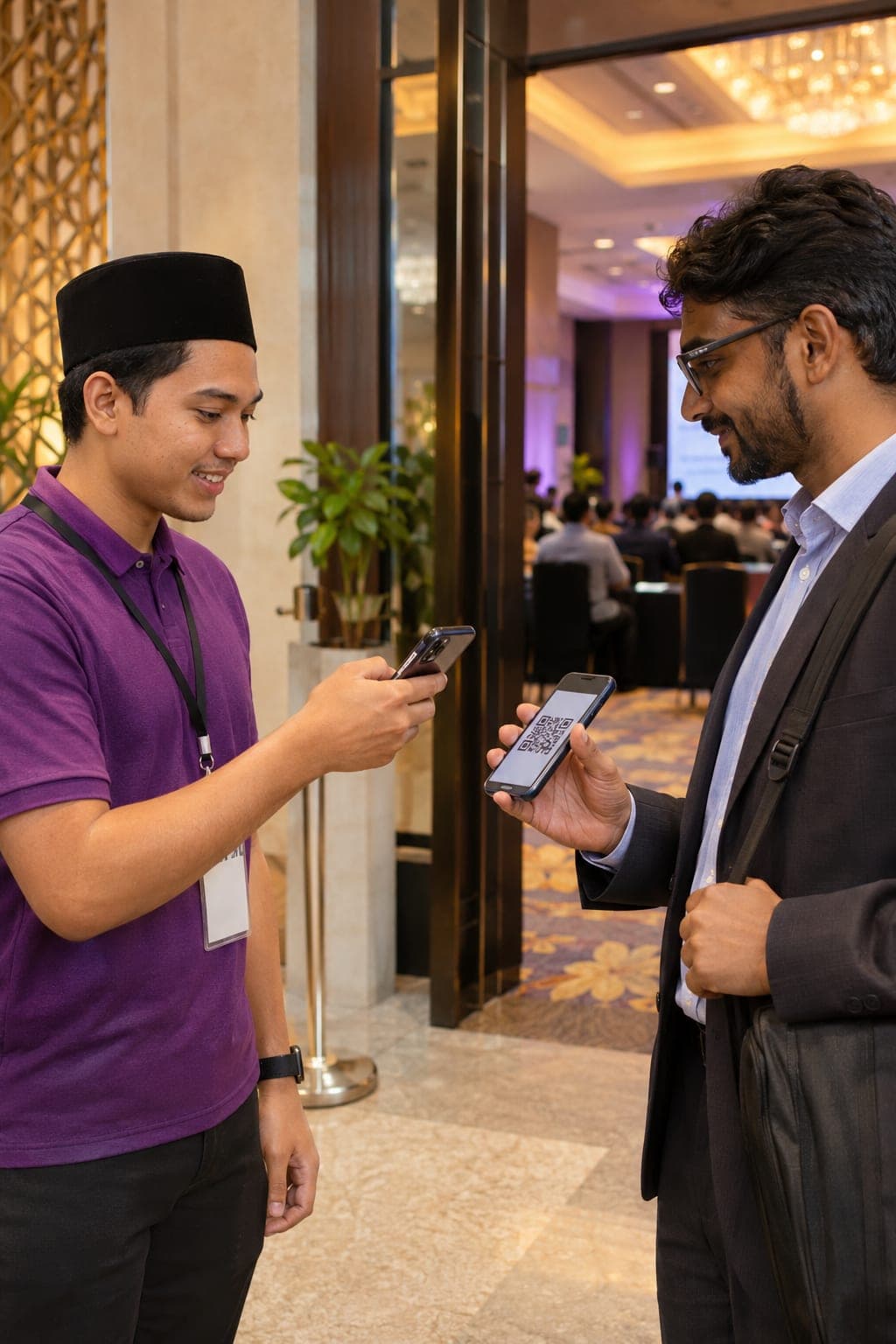
Staff scanning tickets
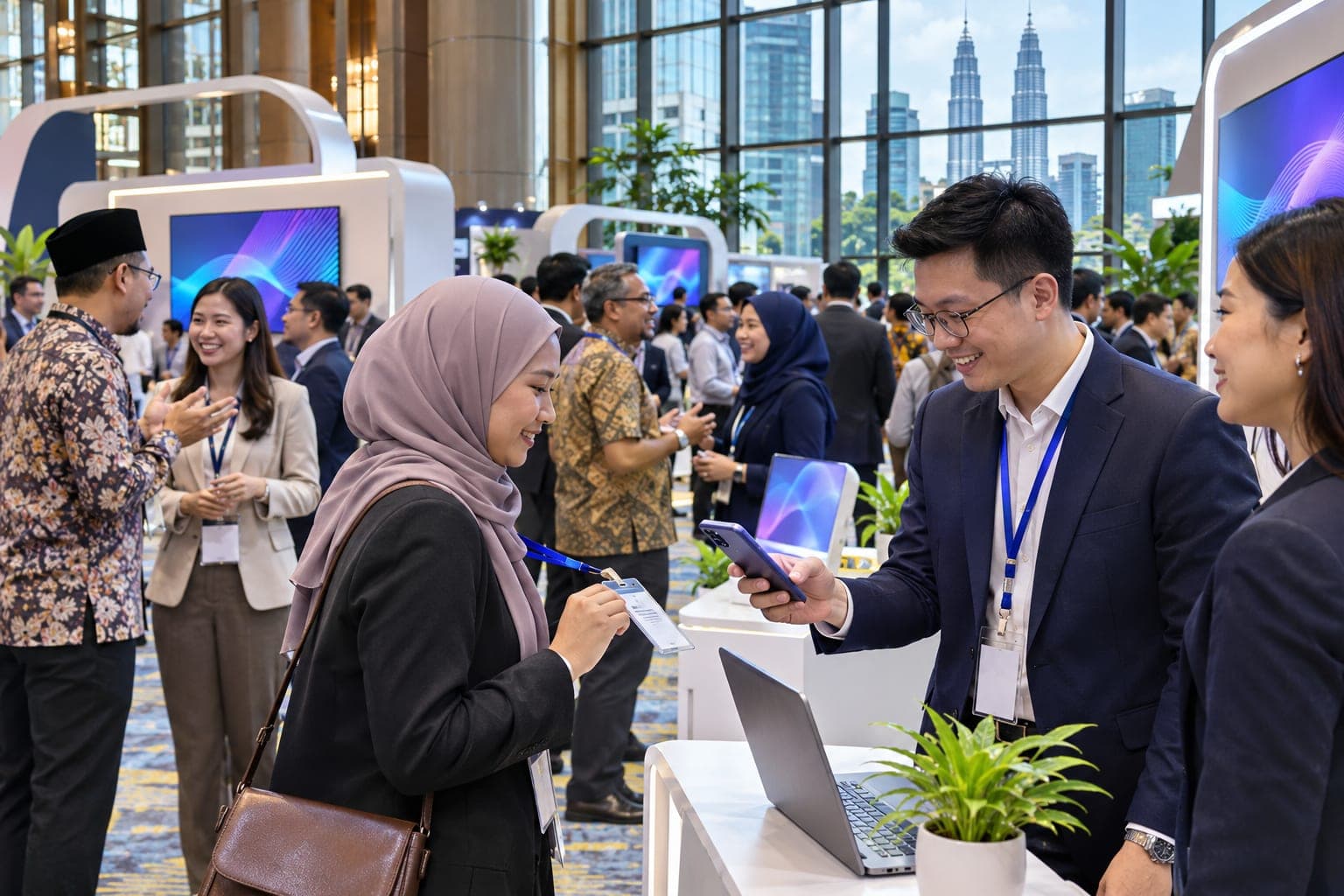
Exhibition hall
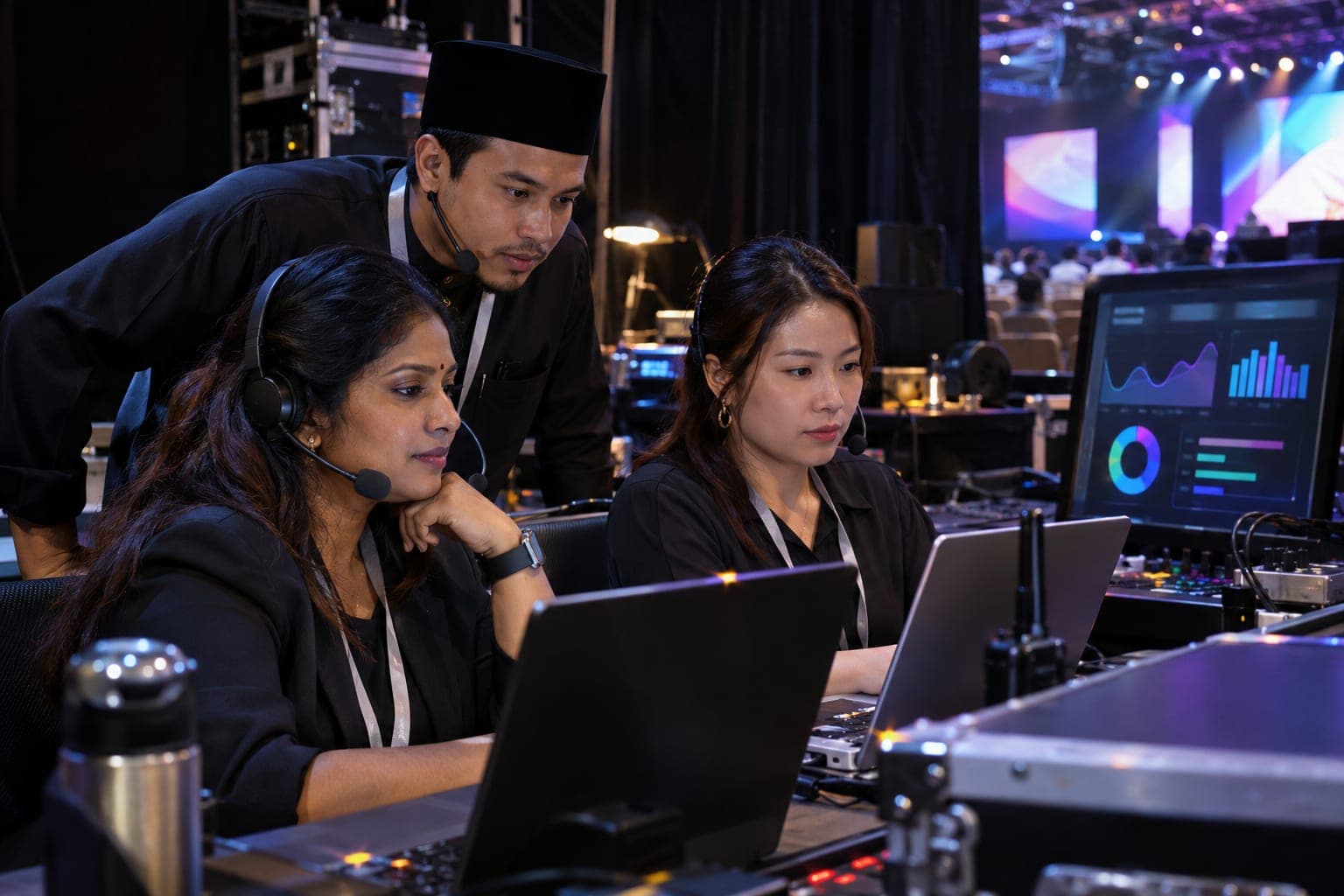
Event control desk
Illustrative photos.
Key features
8 key capabilities of EventFlow, shown in the product screens below.
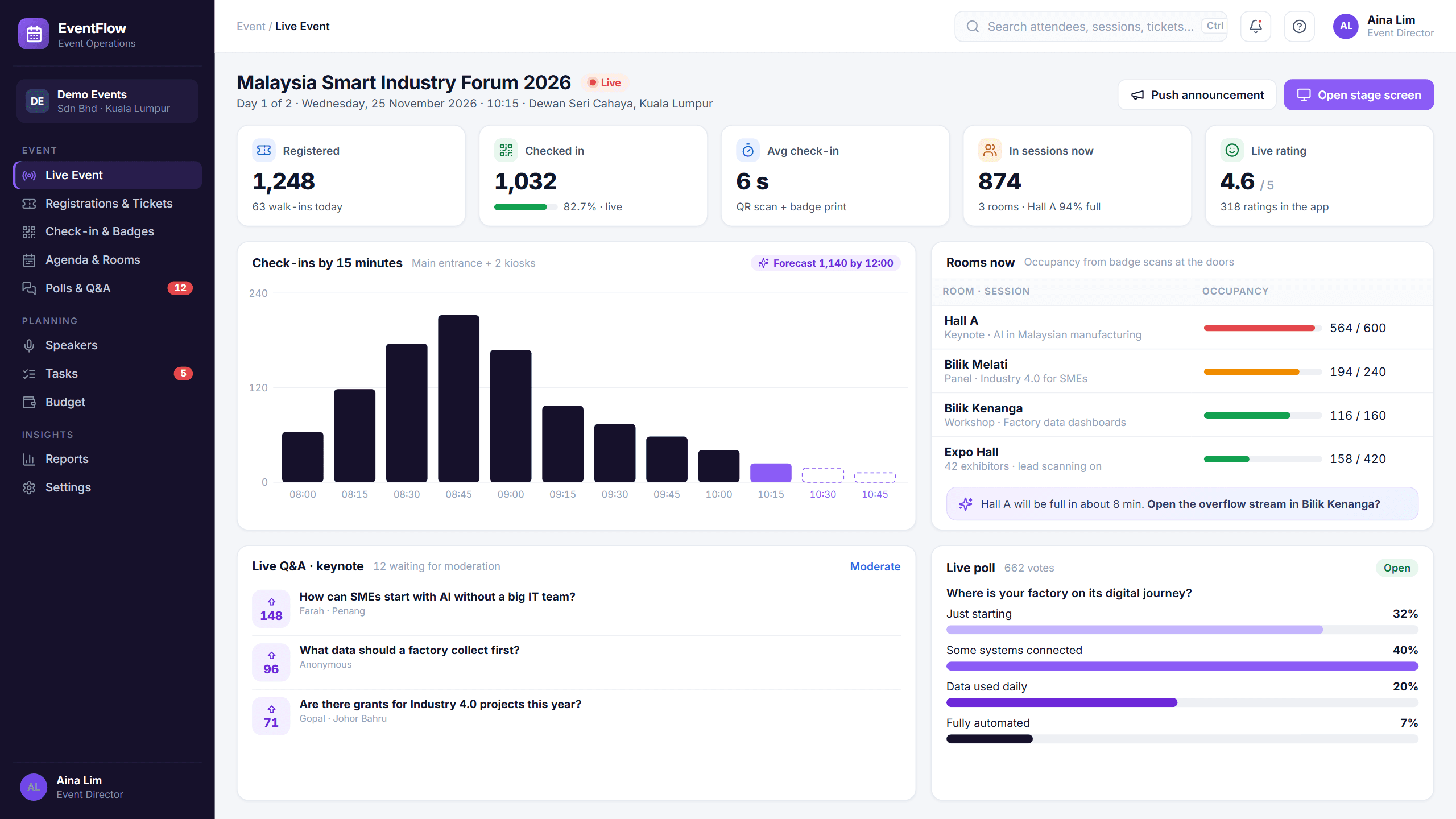
Registrations, check-ins, people in sessions and live ratings, with check-ins by 15 minutes and room occupancy.
Ticket types, early-bird pricing, promo codes and online payment, with a waitlist that fills freed seats.
Each attendee gets a QR e-ticket by email and WhatsApp, and in the attendee app.
Self-service kiosks and staff phones scan tickets, and badges print on the spot.
Badge scans at the doors show how full each room is, with an alert before it fills up.
Ticket, personal agenda, live polls, Q&A, slides and the floor map on each attendee's phone.
Exhibitors scan visitors' badges to collect leads, counted by booth and hour.
Attendance forecasts, meeting suggestions and a summary of what attendees said, in English and Bahasa Melayu.
Smart technology
EventFlow brings modern event technology together, so the team sees what is happening and attendees move through the day without queues.
Sent by email and WhatsApp, and kept in the attendee app.
About 6 seconds per attendee, with the badge printed on the spot.
Attendees who opt in can check in by face, without their phone.
Door scans show how full each room is, as it fills.
Questions voted up by the audience, and polls shown on the stage screen.
Exhibitors scan badges to capture leads at their booth.
Attendance forecasts, meeting suggestions and feedback summarised by AI.
Staff phones keep scanning if the venue Wi-Fi drops, and sync later.
Product screens
Four screens of EventFlow, from the dashboard to the reports, shown with sample data. Select a screen to enlarge it.
Screen 01 · Live event
The event as it happens: check-ins by 15 minutes with an AI forecast, live room occupancy, Q&A and a live poll.
Sample data · people, IDs, dates and figures are examples, not real records
Screen 02 · Registrations
Ticket types and revenue, e-tickets delivered by email and WhatsApp, a waitlist and registrations over time with an AI forecast.
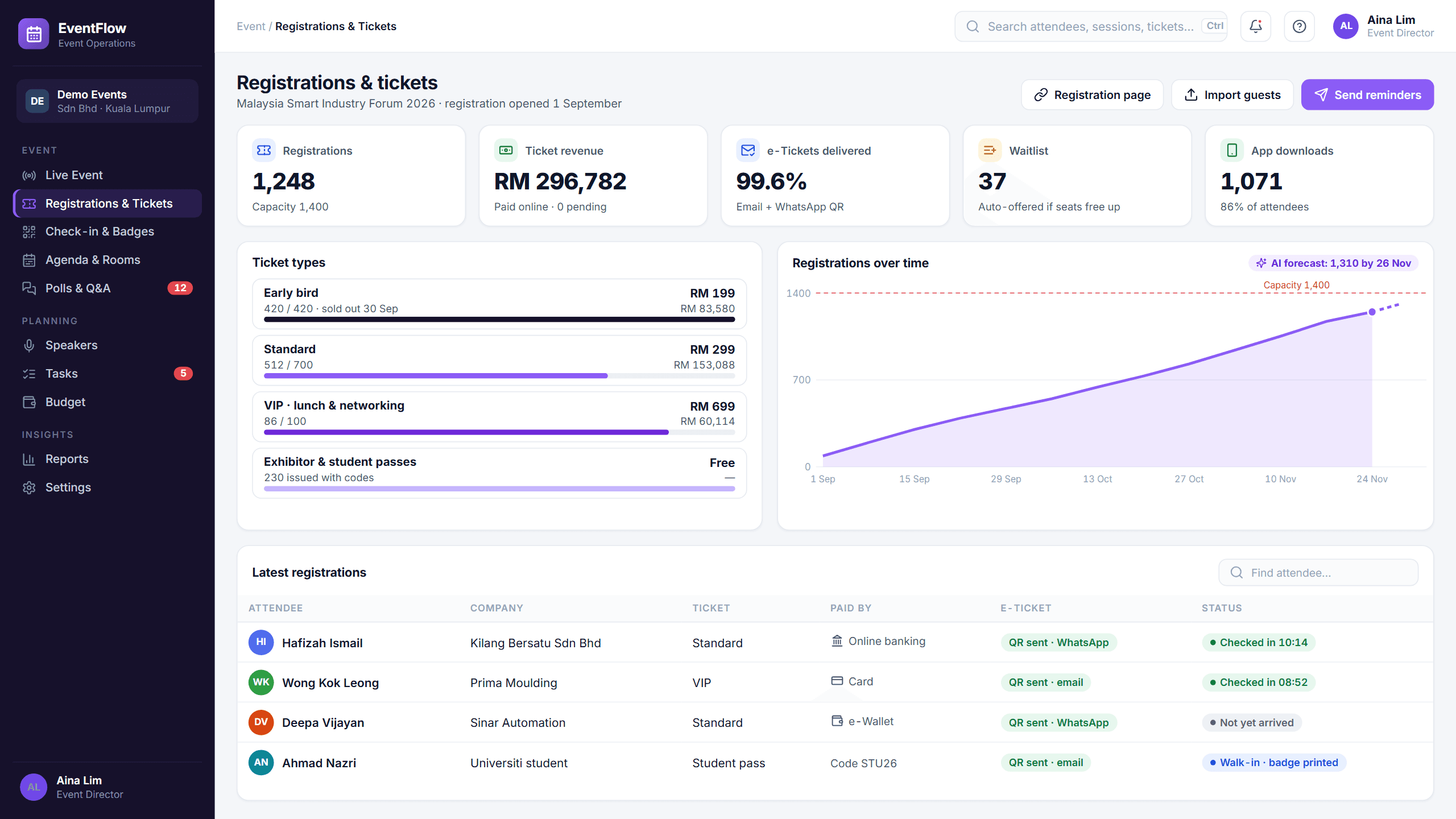
Sample data · people, IDs, dates and figures are examples, not real records
Screen 03 · Check-in
The last scan with the printed badge, check-in points, progress by ticket type and every scan as it happens.
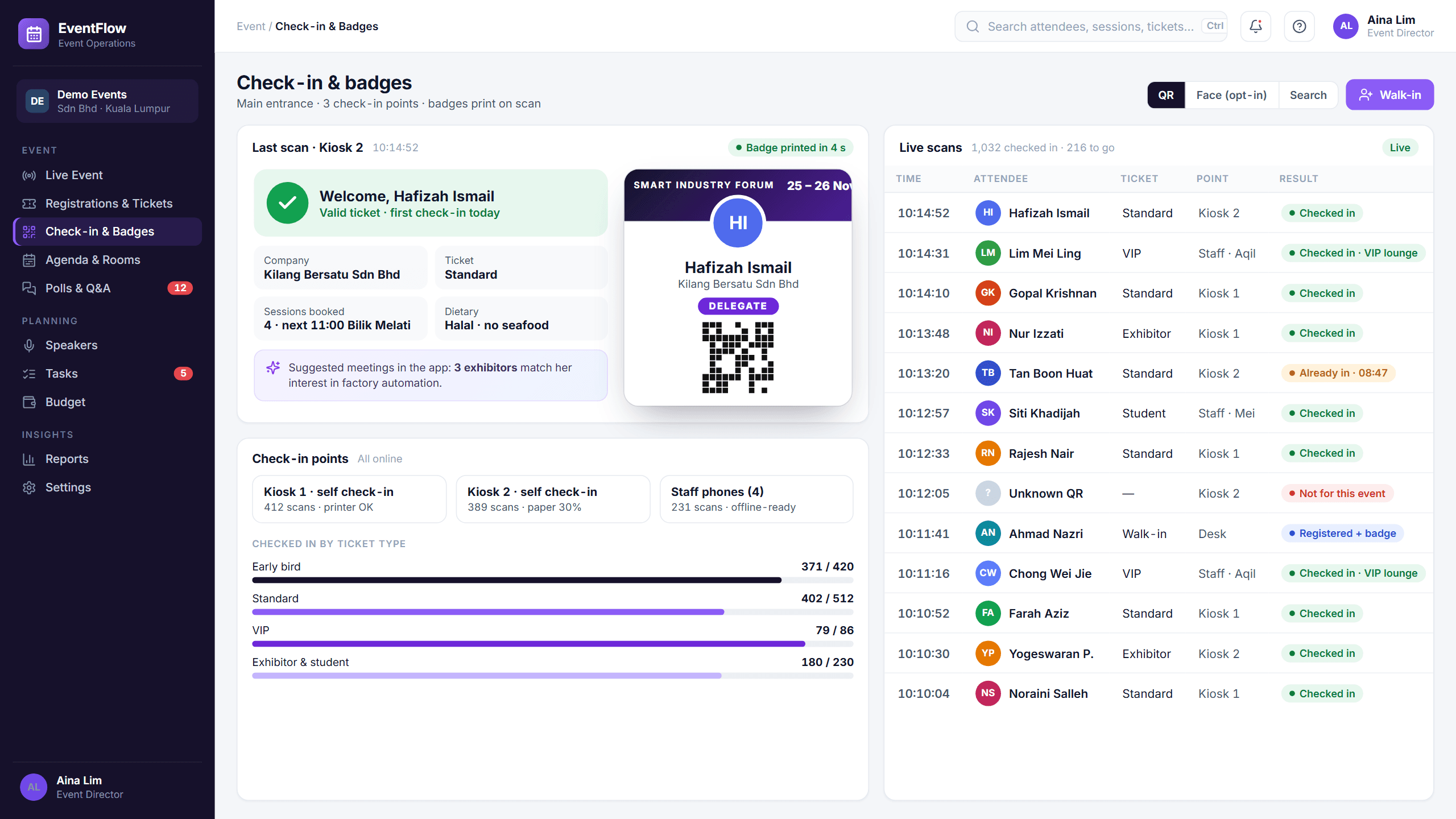
Sample data · people, IDs, dates and figures are examples, not real records
Screen 04 · Reports & analytics
Show-up rate, engagement, session ratings, exhibitor leads, an AI summary of feedback and budget against actual.
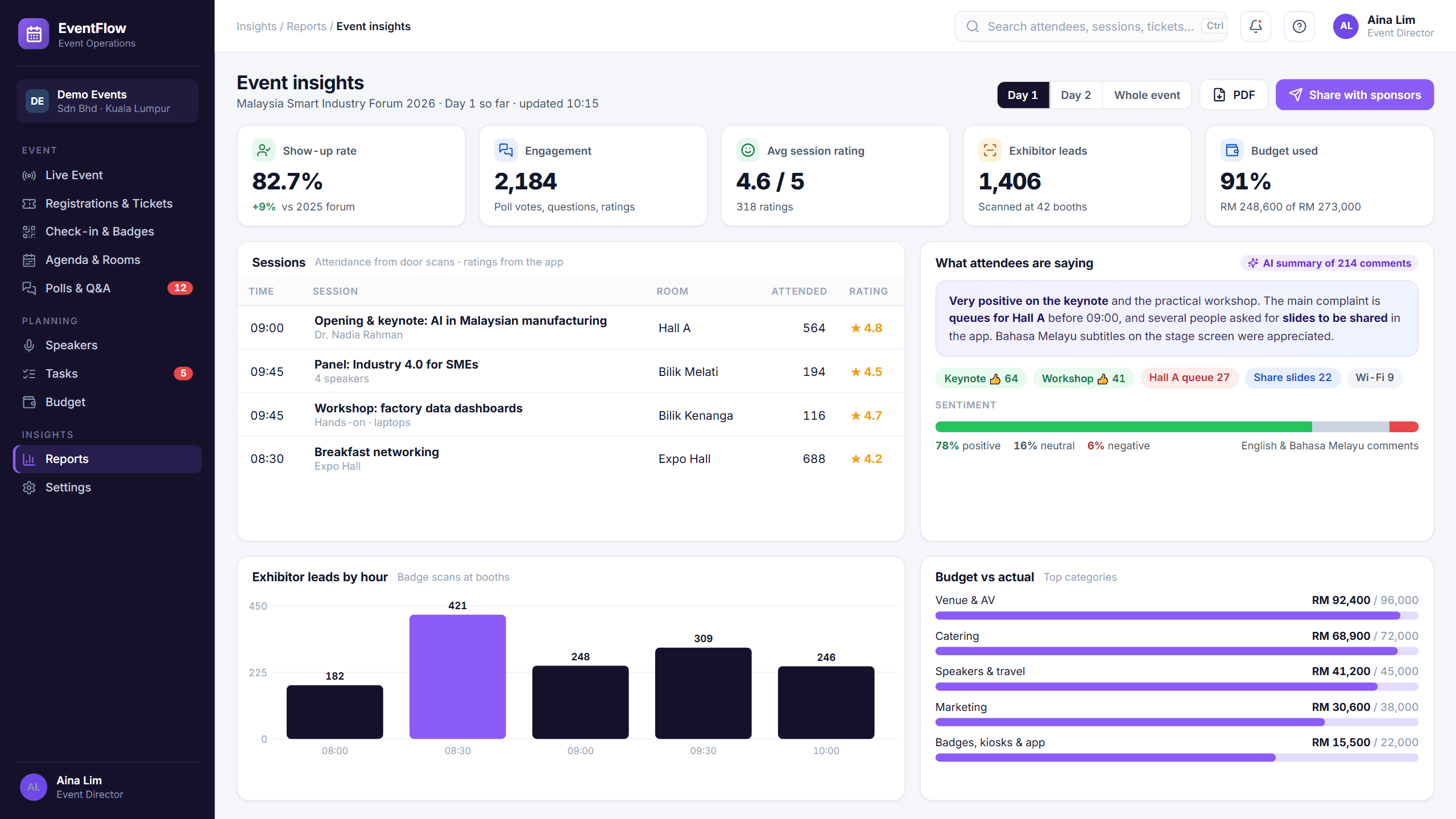
Sample data · people, IDs, dates and figures are examples, not real records
Attendee & staff app
Attendees carry their QR ticket and personal agenda, vote in live polls and ask questions, while staff check people in with their phones.
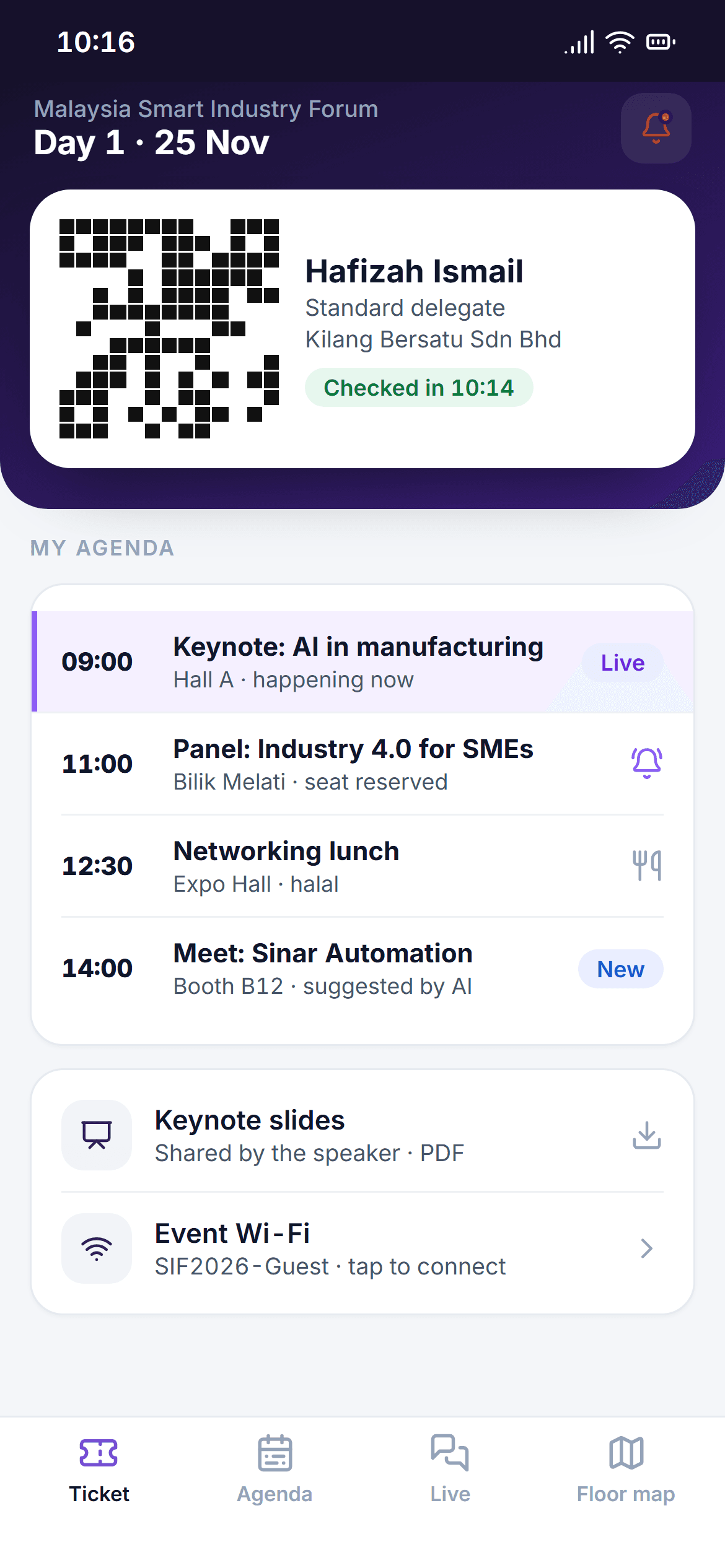
App · 01
The QR e-ticket, check-in status and a personal agenda with AI-suggested meetings.
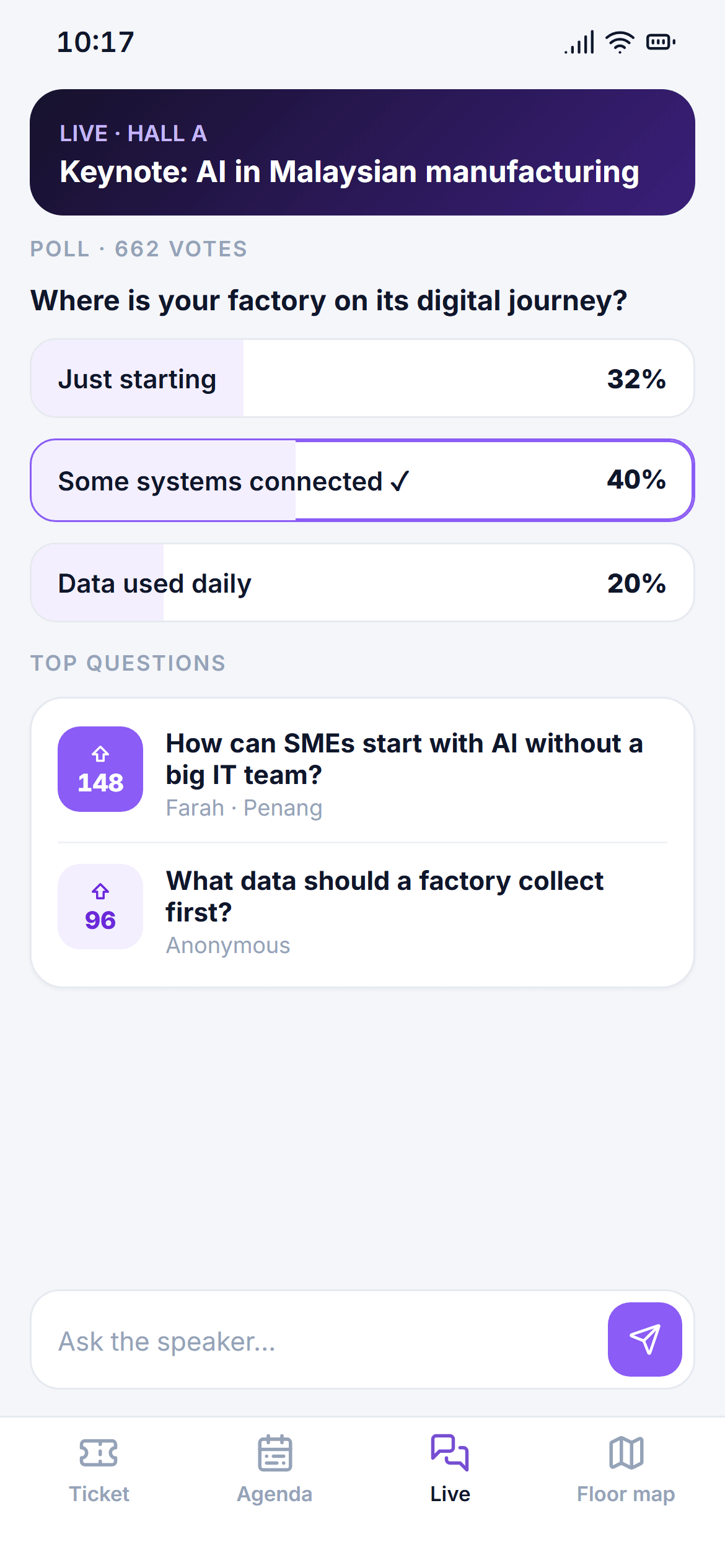
App · 02
Vote in the keynote poll and up-vote the questions you want answered.
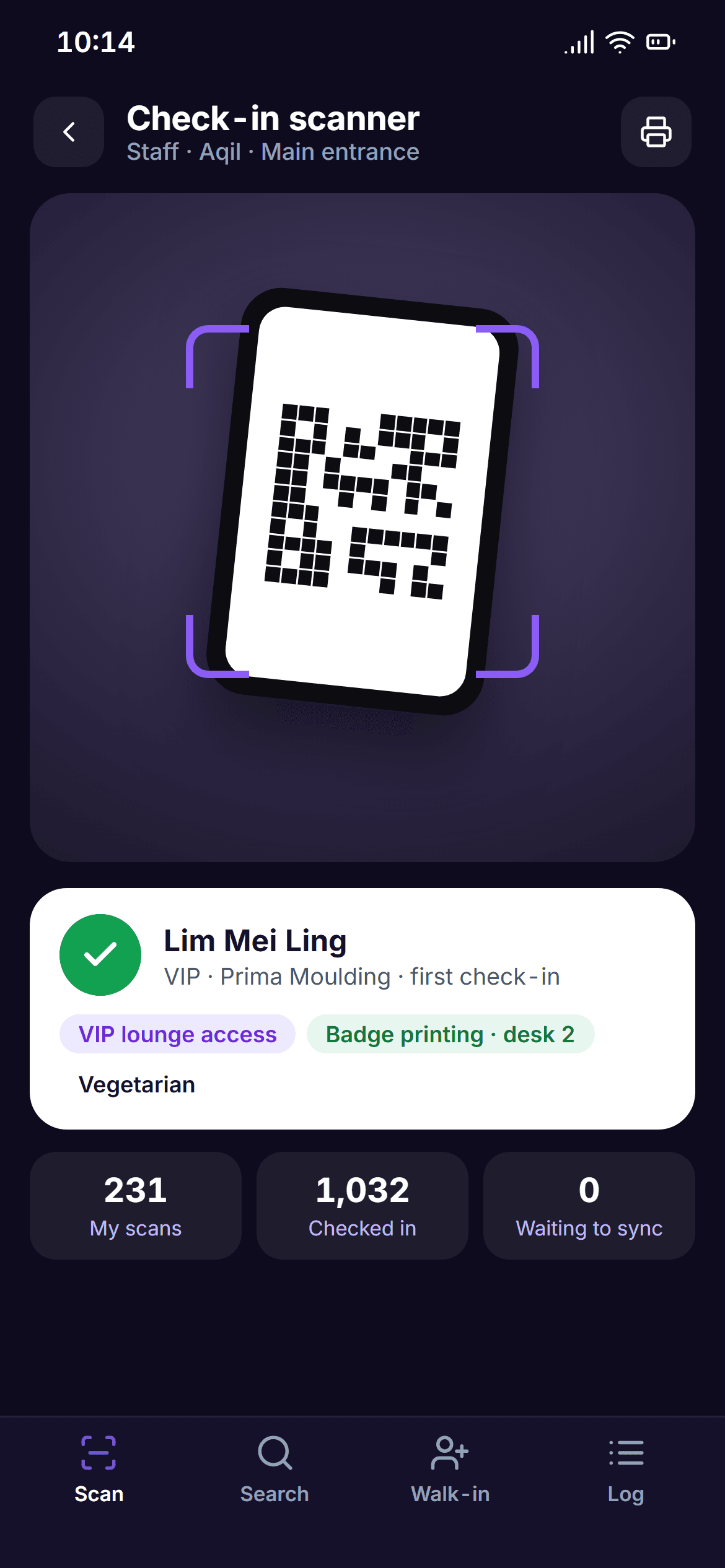
App · 03
Staff scan tickets with their phones, even offline, and badges print at the desk.
Sample data · names, sites and times are examples, not real records
Modules
The modules of EventFlow, sharing the same records so information is entered once.
What, where and who.
01Event Dashboard
Upcoming events, registrations and tasks.
02Event & Session Setup
Events, sessions, dates and capacity.
03Venue / Room Register
Venues and rooms.
04Speaker & Programme
Speakers and the event programme.
From invitation to check-in.
05Registration Forms
Registration forms for each event.
06Attendee List
Registered attendees.
07Invitation Log
Invitations sent.
08Check-in & Badges
QR, kiosk and staff-phone check-in with badge printing.
09Attendee App
Ticket, agenda, polls and Q&A.
Running it, and learning from it.
10Attendance Export
Attendance exported after the event.
11Resource & Task Plan
Tasks and resources for each event.
12Budget Register
Event budgets and costs.
13AI Insights & Reports
Forecasts, feedback summaries and event reports.
Workflow
How an event is designed to move through EventFlow.
At each step the record is designed to show its status, owner, next action and due date, and authorised users can return incomplete work with a reason.
Benefits
What EventFlow is designed to change for the people who use it every day.
Getting started
Step by step, starting from your own workflow.
Confirm scope and roles
We agree which modules, roles and rules your organisation needs.
Configure the workflow and records
Your workflow and the records it keeps are set up and approved with you.
Try it with sample data
Your team tries the system with sample data first, never your real records.
Review permissions and exceptions
Access rights, returned work and corrections are checked.
Go live with one workflow first
One end-to-end workflow goes live before the next is added.
Verify with your team
The people who use it confirm it works for them, and then more is added.
Questions
Yes. EventFlow is available and in use by customers. Each new customer's setup starts from the modules and roles described on this page. Request a demo to see it.
No. The EventFlow screens on this page are shown with sample people, records and figures. They are not screenshots of any customer's system and contain no real customer data.
Yes. The roles, workflow steps and the details of each module are agreed with you during setup.
No connections to other systems are assumed. If you need EventFlow to work with another system, it is discussed and agreed during scoping.
Request a demo
See EventFlow in a demo with our team and tell us how you plan events, manage registrations and check people in.