
The problem
Open posts are discovered only when a site calls to complain.
Post coverage by shift and the weekly roster show unfilled shifts before they start.
Specialist Operations
Every Post Planned. Every Shift Accounted For.
GuardMaster runs guard operations end to end: rosters, a guard mobile app with geofenced GPS and selfie clock-in, QR and NFC patrol checkpoints, a live guard map, incidents, handovers, supervisor visits and timesheets.
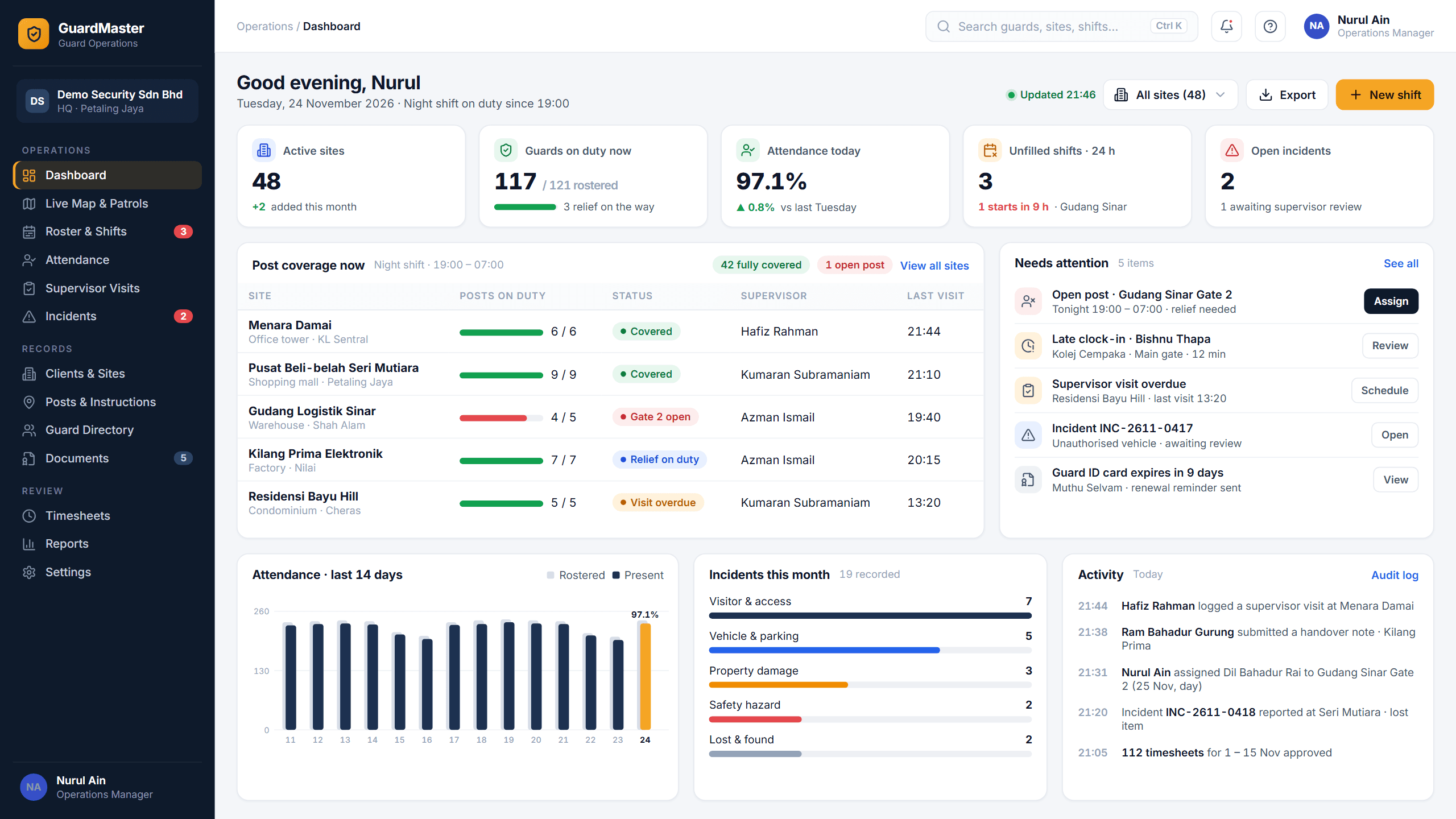
Screens shown with sample data
What it does
GuardMaster is designed around client sites and the posts that must be covered. Schedulers build the roster, attendance is recorded for each shift, supervisors log their visits and handovers, and incidents or exceptions are recorded against the site. Timesheets are approved from the same records before service and billing review.
Who it’s for
User roles
Product status: available and in use. GuardMaster is a Zensoft product in use by customers, set up for each customer's roles and workflow. The screens on this page are shown with sample people and figures, not any customer's records.
Problems it addresses
The problem
Post coverage by shift and the weekly roster show unfilled shifts before they start.
The problem
Clock-in needs GPS inside the site geofence plus a selfie, and every patrol checkpoint is scanned by QR or NFC with the time.
The problem
Timesheets are reviewed and approved from the same shift and attendance records before service and billing review.
Built for the work on the ground
Security work happens at gates, lobbies, car parks and control rooms, day and night. GuardMaster keeps every guard and the team running the operation working from the same records.
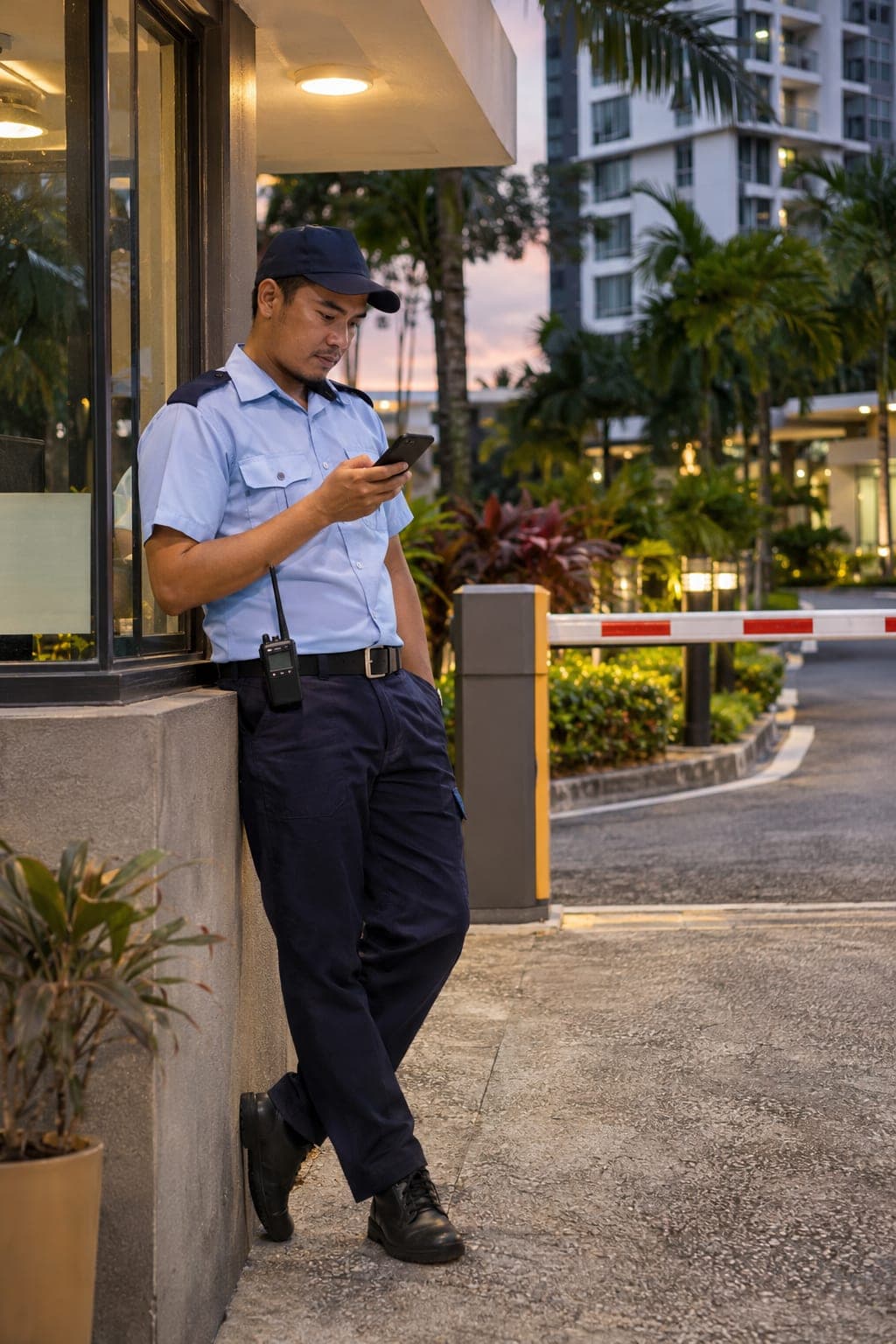
At the guard house
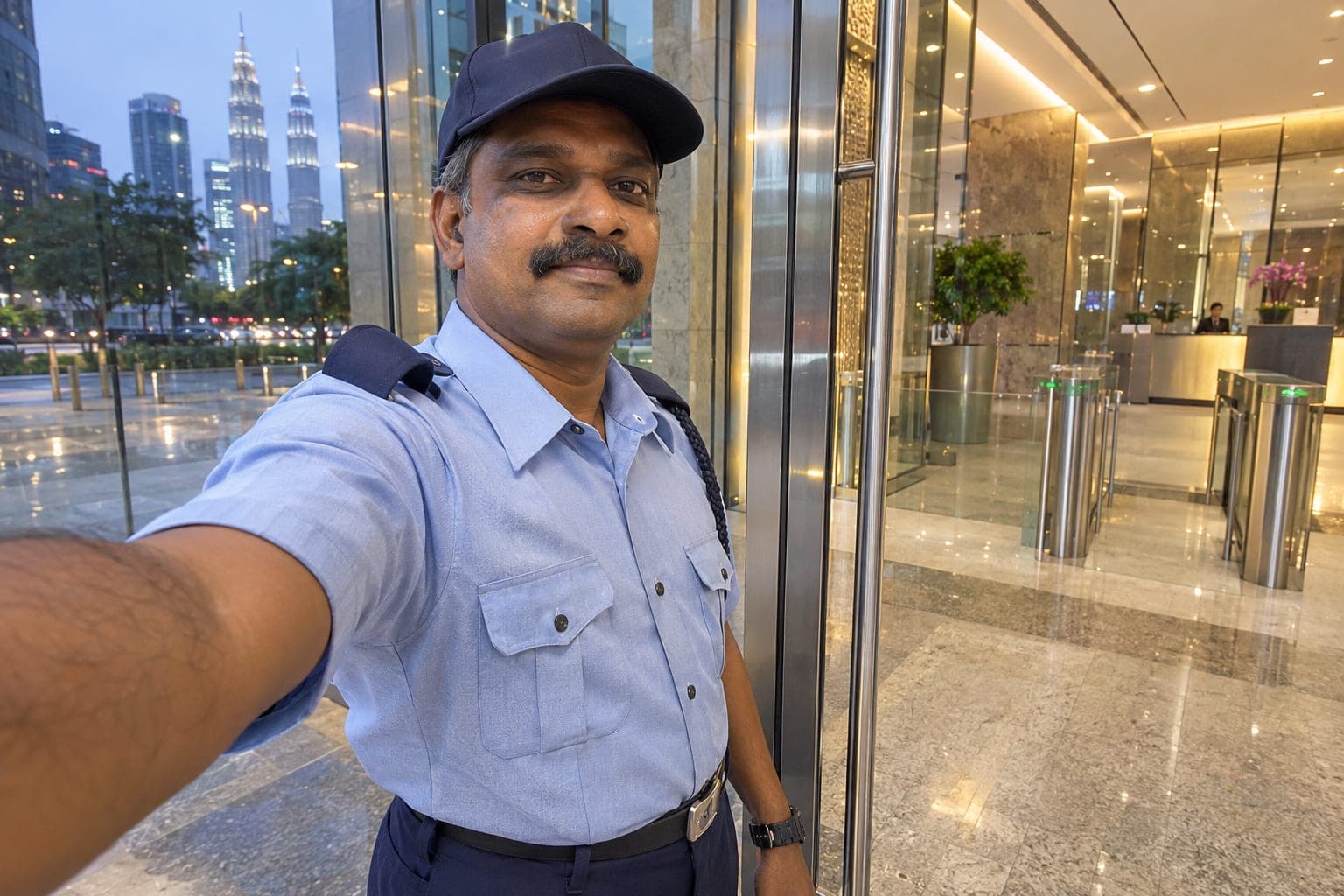
Selfie clock-in at the post

Scanning a patrol checkpoint

Operations room
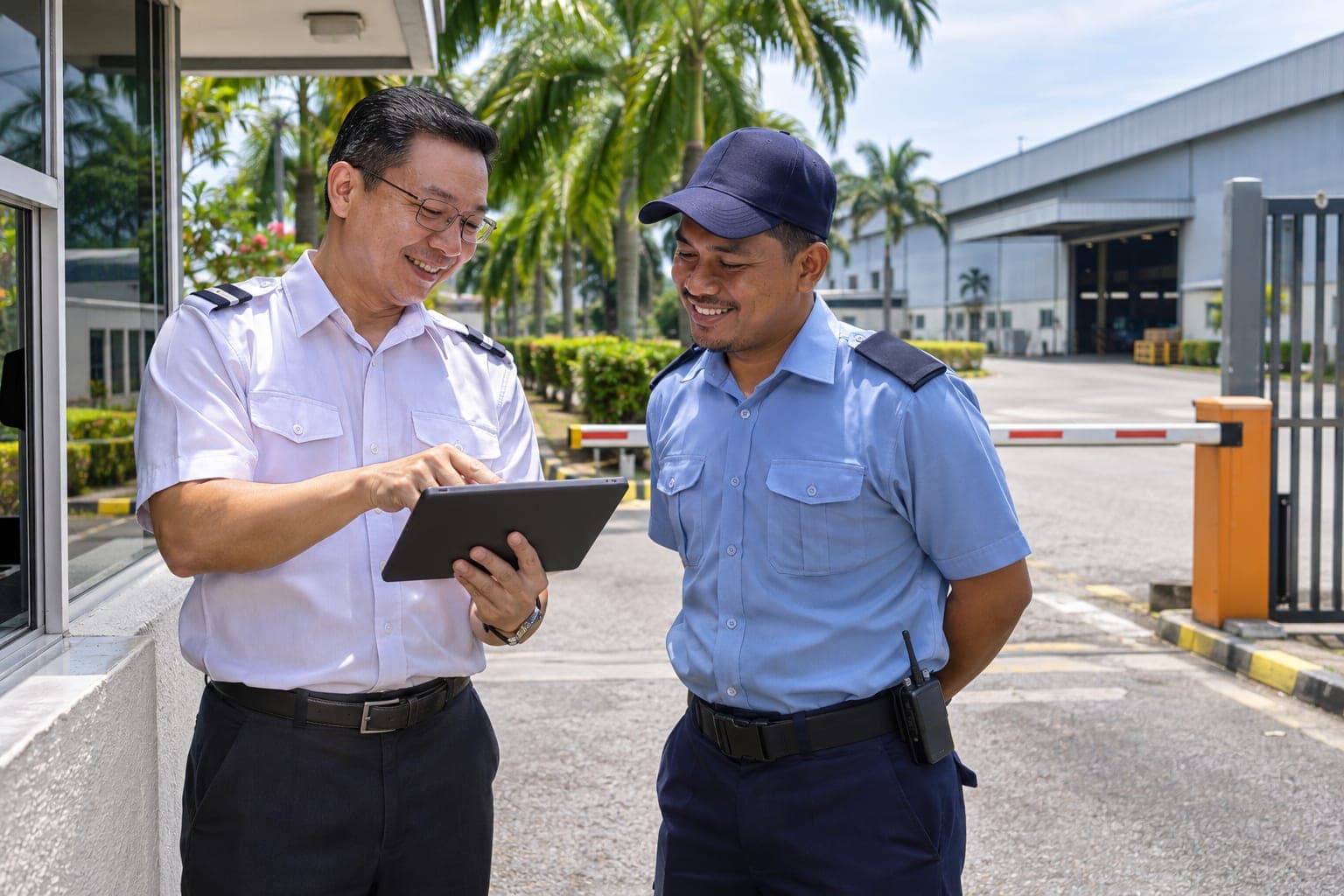
Supervisor handover
Illustrative photos.
Key features
8 key capabilities of GuardMaster, shown in the product screens below.
Active sites, shifts today, unfilled shifts and reviews pending, with post coverage by shift.
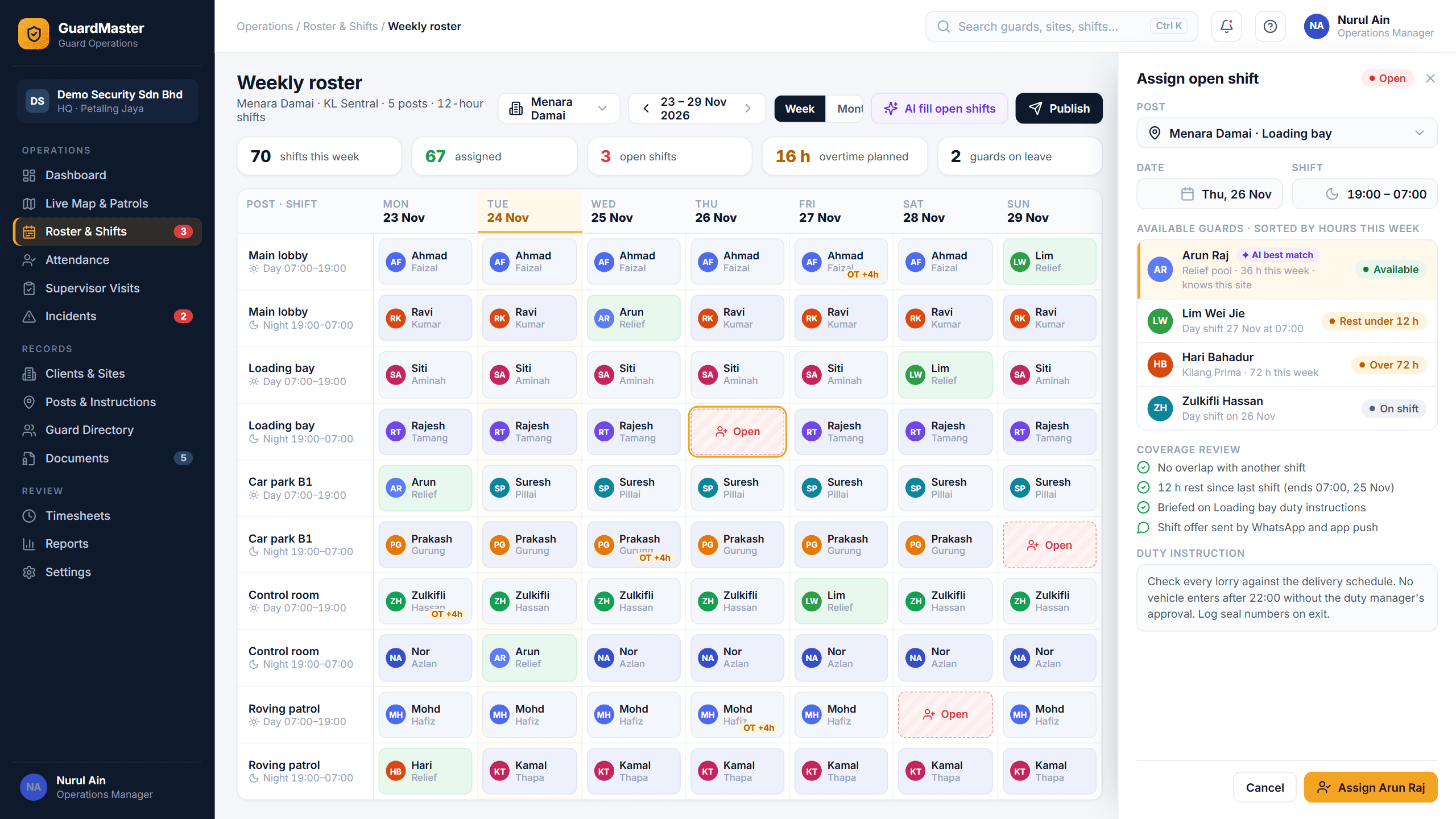
Assign a guard to an open shift, with available guards, their hours and a coverage check for overlaps and rest time.
A weekly assignment grid by post, with open shifts, relief guards and overtime visible.
Guards see their shift, clock in, read the handover and duty instructions, and report incidents from their phone.
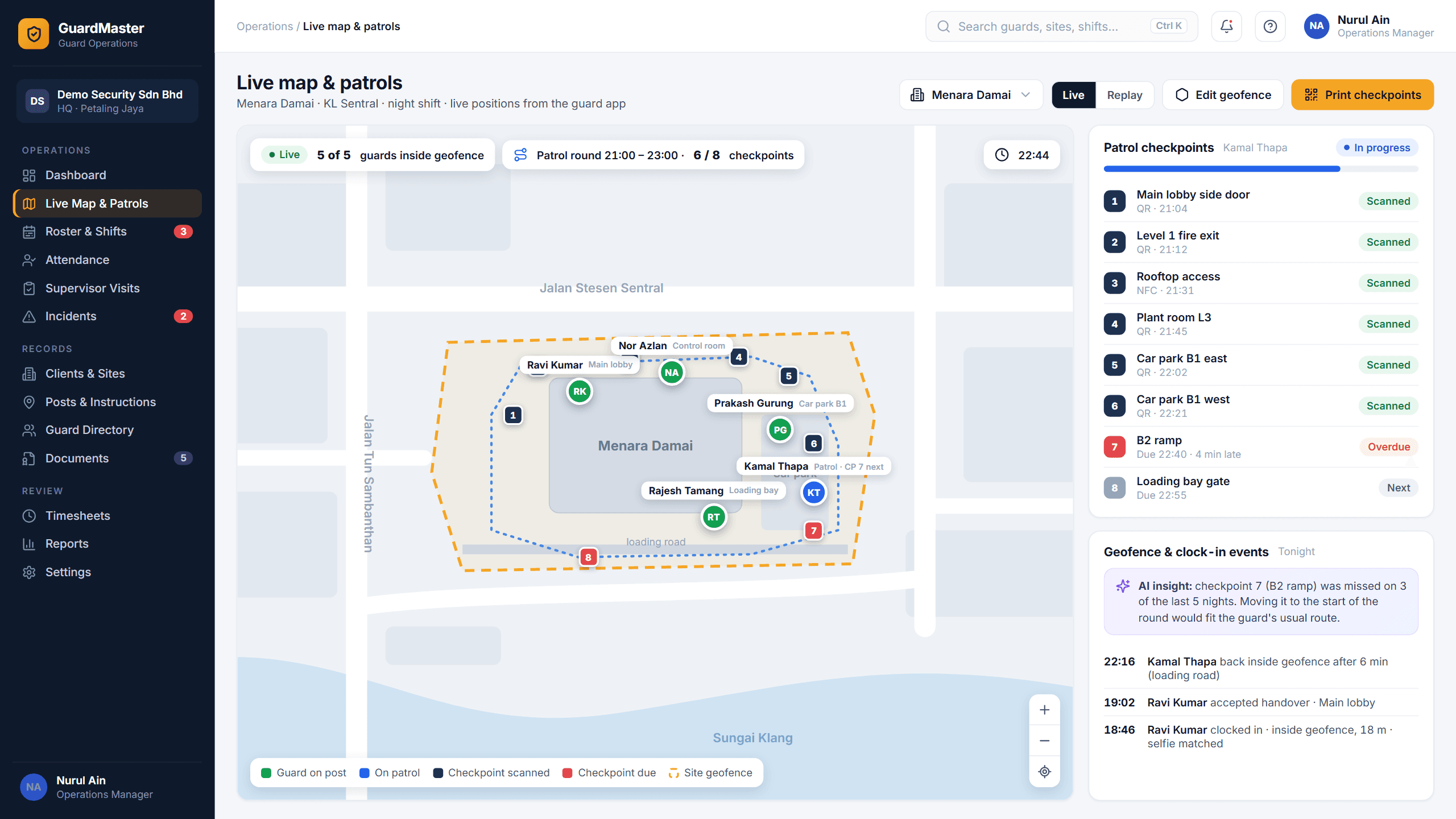
Every guard's position, the site geofence and patrol checkpoints on a live map, with missed checkpoints flagged.
Supervisor visits and shift handovers recorded against the site and accepted in the app.
Incidents reported from the post with photos and severity, and reviewed by the supervisor.
Timesheets approved from verified clock-ins, and monthly service reports shared with the client.
Smart technology
Modern technology in every shift, so operations, supervisors and clients can trust what the records say.
Clock-in works only inside the site's geofence, and guards leaving it during a shift are flagged.
A selfie at clock-in confirms the right guard is at the post.
Checkpoints scanned by QR code or NFC tag, with the time and position.
Guards, geofences and patrol progress on one live map, with replay.
Suggests the best guard for an open shift and spots patterns like missed checkpoints.
Shift offers, late clock-ins and incidents reach the right person straight away.
Incidents reported from the post with photos, severity and time.
Clients view service reports and incidents for their own sites, online.
Product screens
5 screens of GuardMaster, from the dashboard to the reports, shown with sample data. Select a screen to enlarge it.
Screen 01 · Dashboard
Guards on duty, attendance, open posts and incidents across every site, with what needs attention tonight.
Sample data · people, IDs, dates and figures are examples, not real records
Screen 02 · Roster & shifts
Every post and shift for the week, with relief guards, overtime and open shifts, and an open shift being assigned.
Sample data · people, IDs, dates and figures are examples, not real records
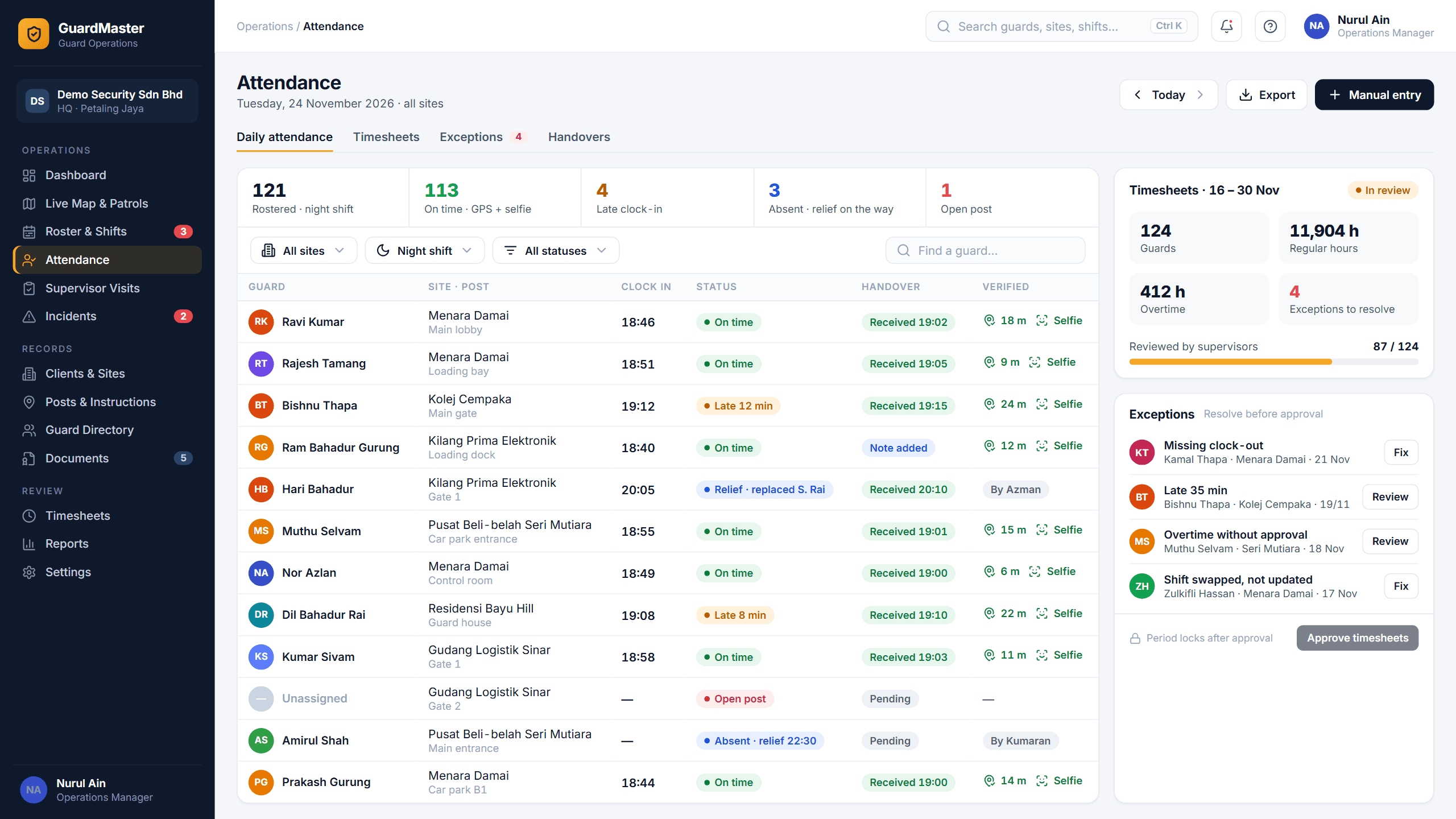
Screen 03 · Attendance
Who clocked in and when, late arrivals, relief cover and handovers, and the timesheet exceptions to clear before approval.
Sample data · people, IDs, dates and figures are examples, not real records
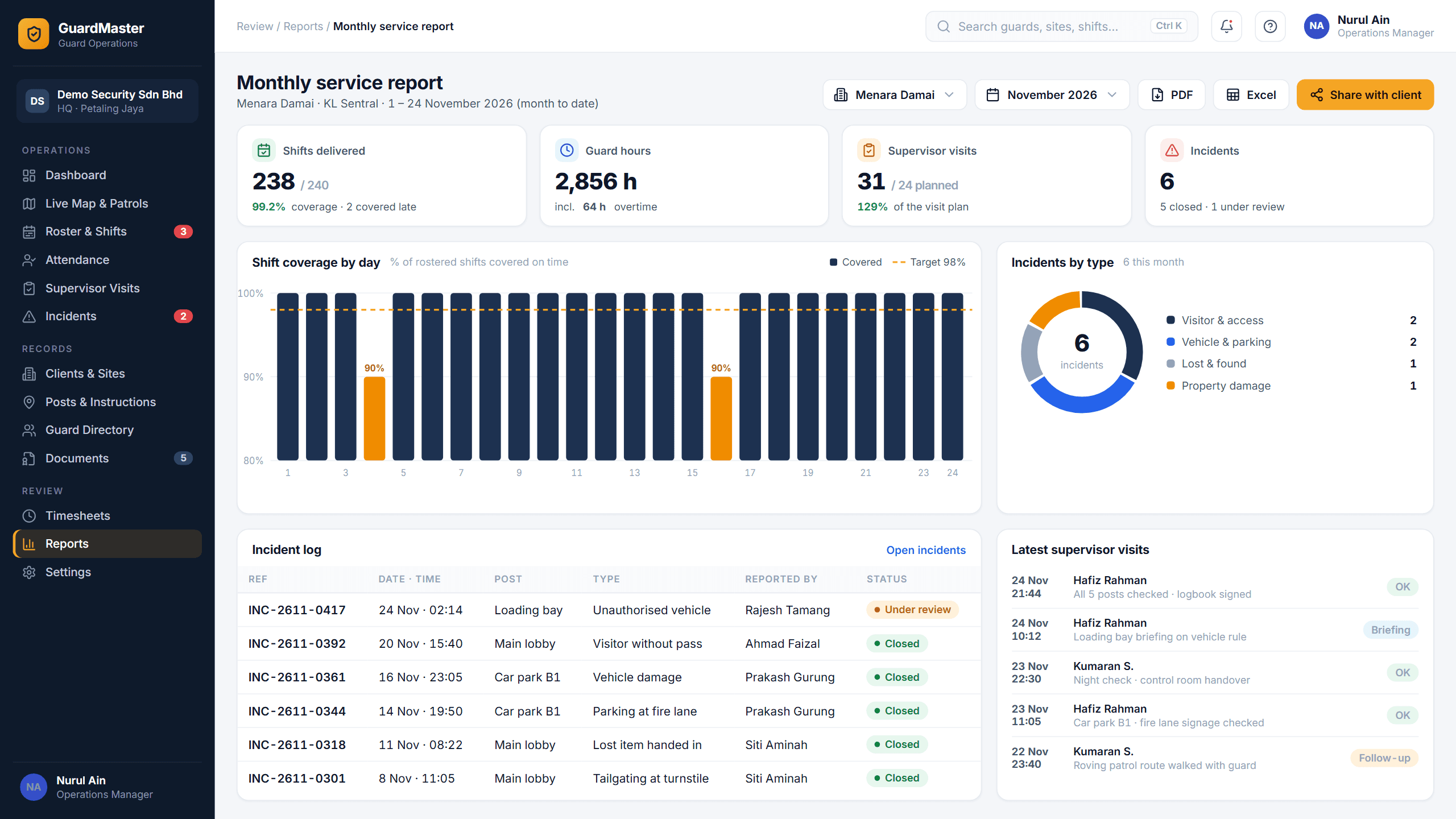
Screen 04 · Reports & analytics
A site's month at a glance for the client: shifts delivered, guard hours, supervisor visits and incidents.
Sample data · people, IDs, dates and figures are examples, not real records
Screen 05 · Live map & patrols
Every guard on a live map inside the site geofence, with each QR and NFC patrol checkpoint and an AI insight on missed ones.
Sample data · people, IDs, dates and figures are examples, not real records
Guard mobile app
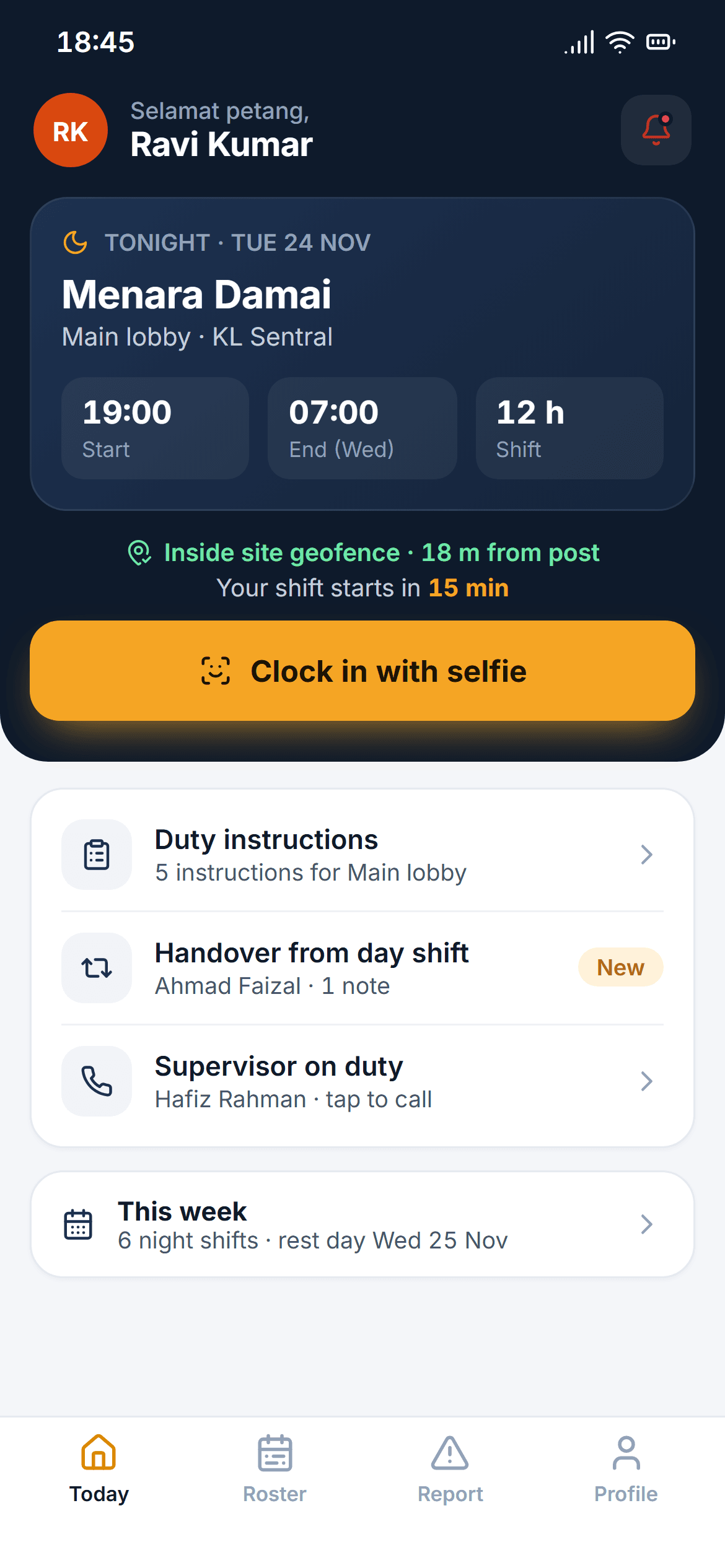
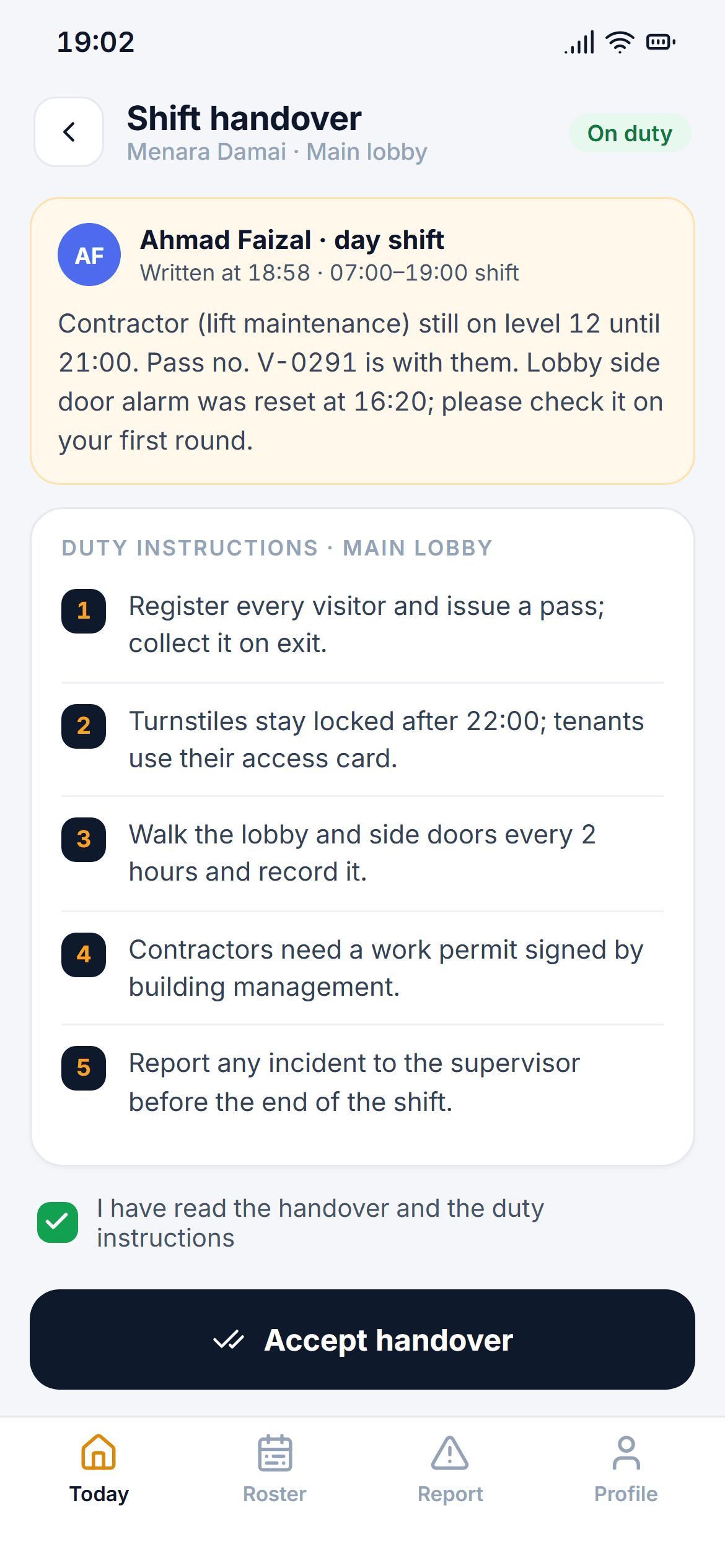
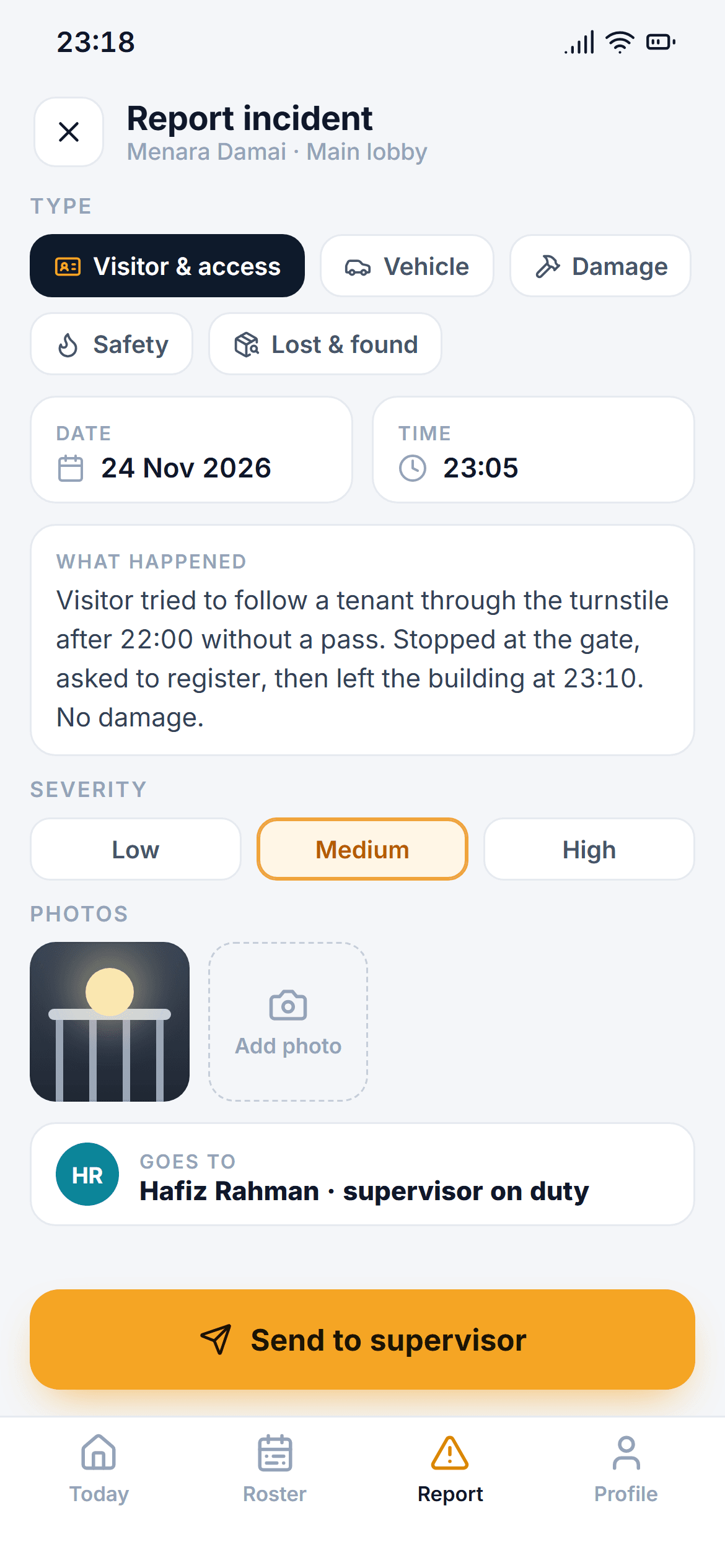
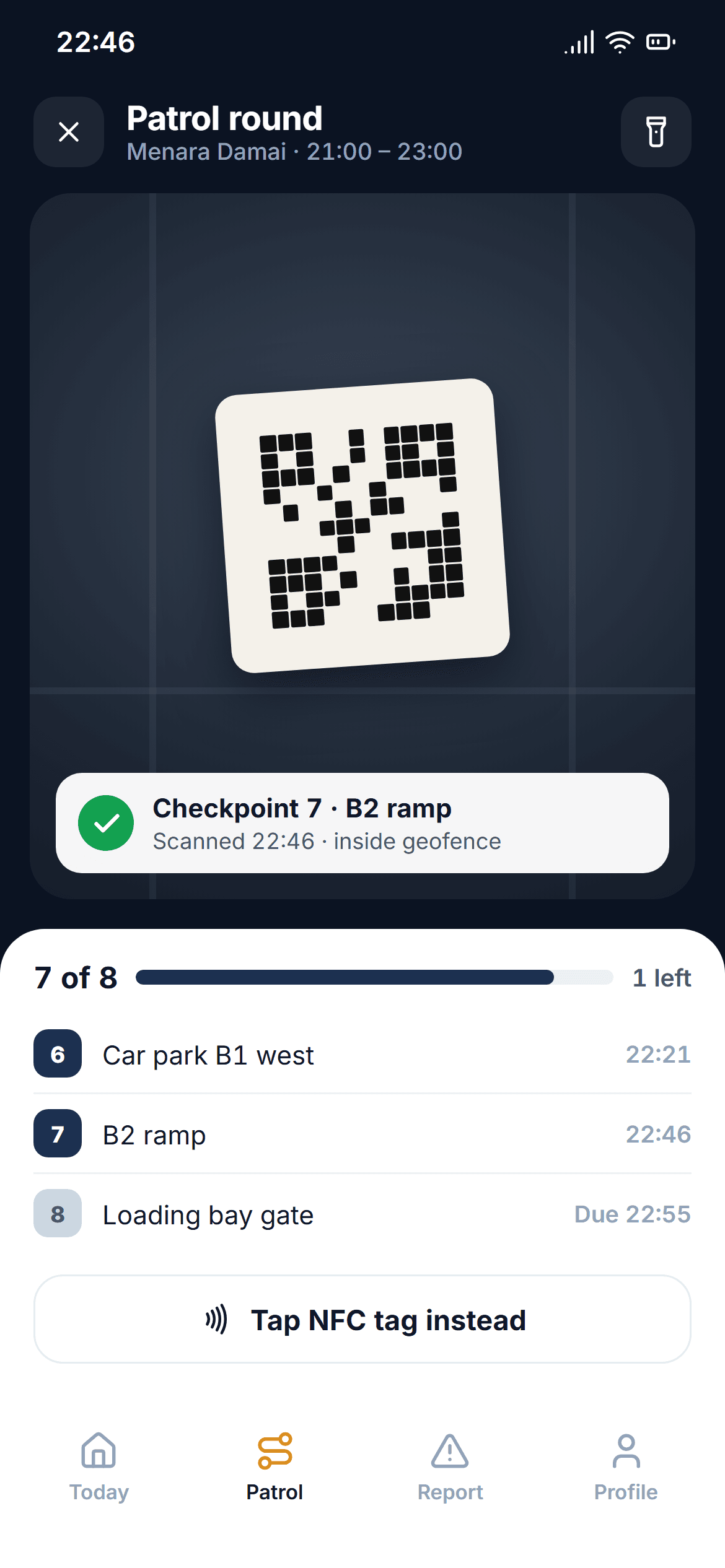
Guards clock in with GPS and a selfie inside the site geofence, accept the handover, scan QR or NFC patrol checkpoints and report incidents with photos, from the post itself.
App · 01
Tonight's post and times; clock-in opens only inside the site geofence, with a selfie.
App · 02
The outgoing guard's note and the post's instructions, accepted at the start of the shift.
App · 03
Type, time, what happened, severity and a photo, sent straight to the supervisor.
App · 04
Scan each checkpoint's QR code, or tap its NFC tag, as the round goes on.
Sample data · names, sites and times are examples, not real records
Modules
The modules of GuardMaster, sharing the same records so information is entered once.
Who covers what, and where.
01Operations Dashboard
Site coverage, unfilled shifts and pending reviews.
02Client & Site Register
Clients, their sites and site details.
03Posts & Instructions
Posts at each site and their duty instructions.
04Guard Directory
Guard records used for rostering.
Planning and recording each shift.
05Roster & Shift Planning
Shift assignments and the weekly roster.
06Attendance
GPS, geofence and selfie-verified clock-in for each shift.
07Live Map & Patrols
Live positions, geofences and QR / NFC patrol checkpoints.
08Supervisor Visit Log
Supervisor visits and reviews.
09Guard Mobile App
Clock-in, handover, patrol scans and incident reports for guards.
What happened, and what gets billed.
10Incident & Handover Records
Incidents, exceptions and shift handovers.
11Document Reminders
Reminders for guard and site documents.
12Timesheet Review
Timesheets approved before service and billing review.
13Reports
Coverage and service reports by period.
Workflow
How guard operations are designed to flow through GuardMaster.
At each step the record is designed to show its status, owner, next action and due date, and authorised users can return incomplete work with a reason.
Benefits
What GuardMaster is designed to change for the people who use it every day.
Getting started
Step by step, starting from your own workflow.
Confirm scope and roles
We agree which modules, roles and rules your organisation needs.
Configure the workflow and records
Your workflow and the records it keeps are set up and approved with you.
Try it with sample data
Your team tries the system with sample data first, never your real records.
Review permissions and exceptions
Access rights, returned work and corrections are checked.
Go live with one workflow first
One end-to-end workflow goes live before the next is added.
Verify with your team
The people who use it confirm it works for them, and then more is added.
Questions
Yes. GuardMaster is available and in use by customers. Each new customer's setup starts from the modules and roles described on this page. Request a demo to see it.
No. The GuardMaster screens on this page are shown with sample people, records and figures. They are not screenshots of any customer's system and contain no real customer data.
Yes. The roles, workflow steps and the details of each module are agreed with you during setup.
No connections to other systems are assumed. If you need GuardMaster to work with another system, it is discussed and agreed during scoping.
GuardMaster manages guard operations. It is not an alarm-monitoring or emergency-response service.
Request a demo
See GuardMaster in a demo with our team and tell us how you handle sites, rosters, attendance and incidents.